
Where visitors come from
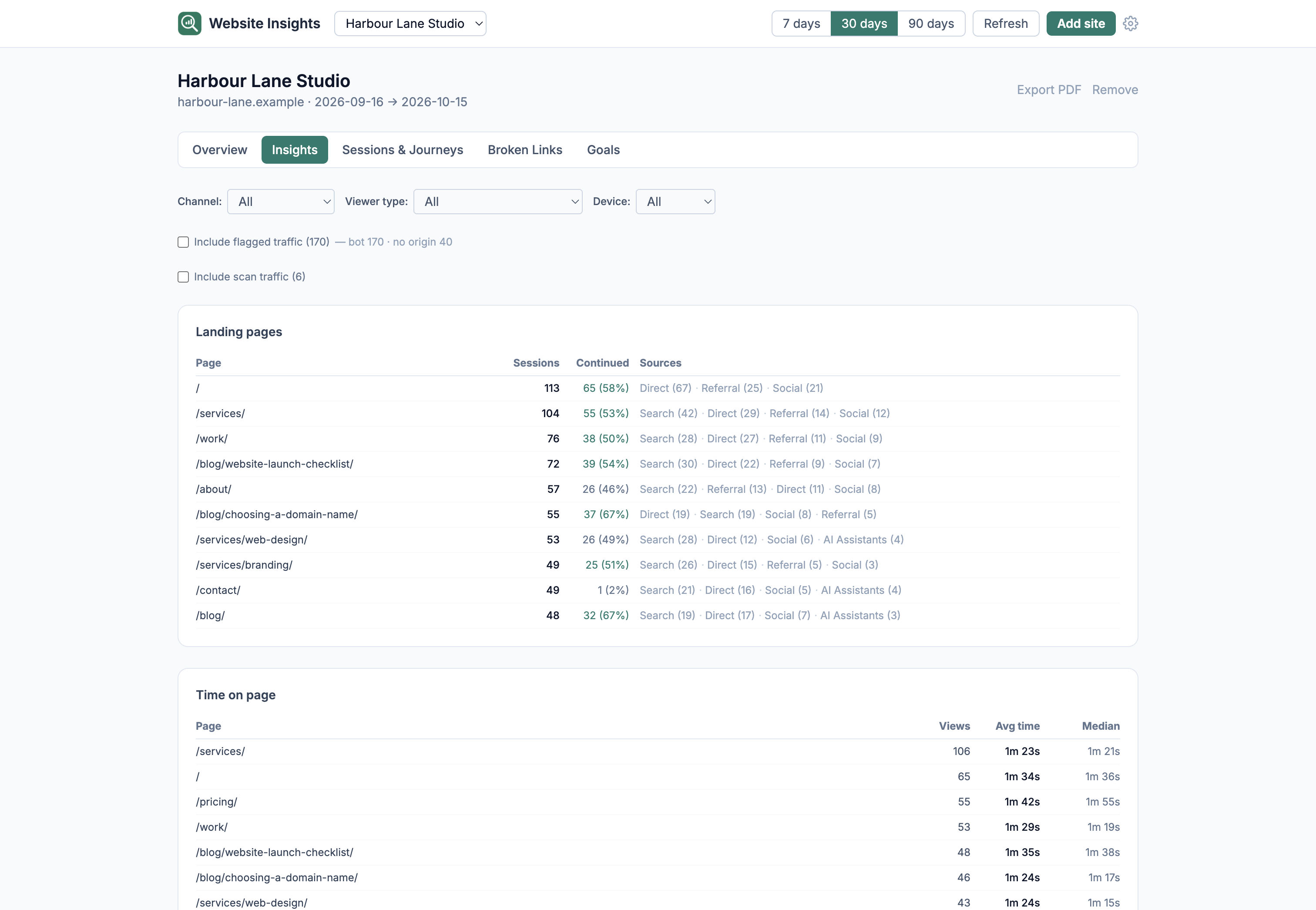
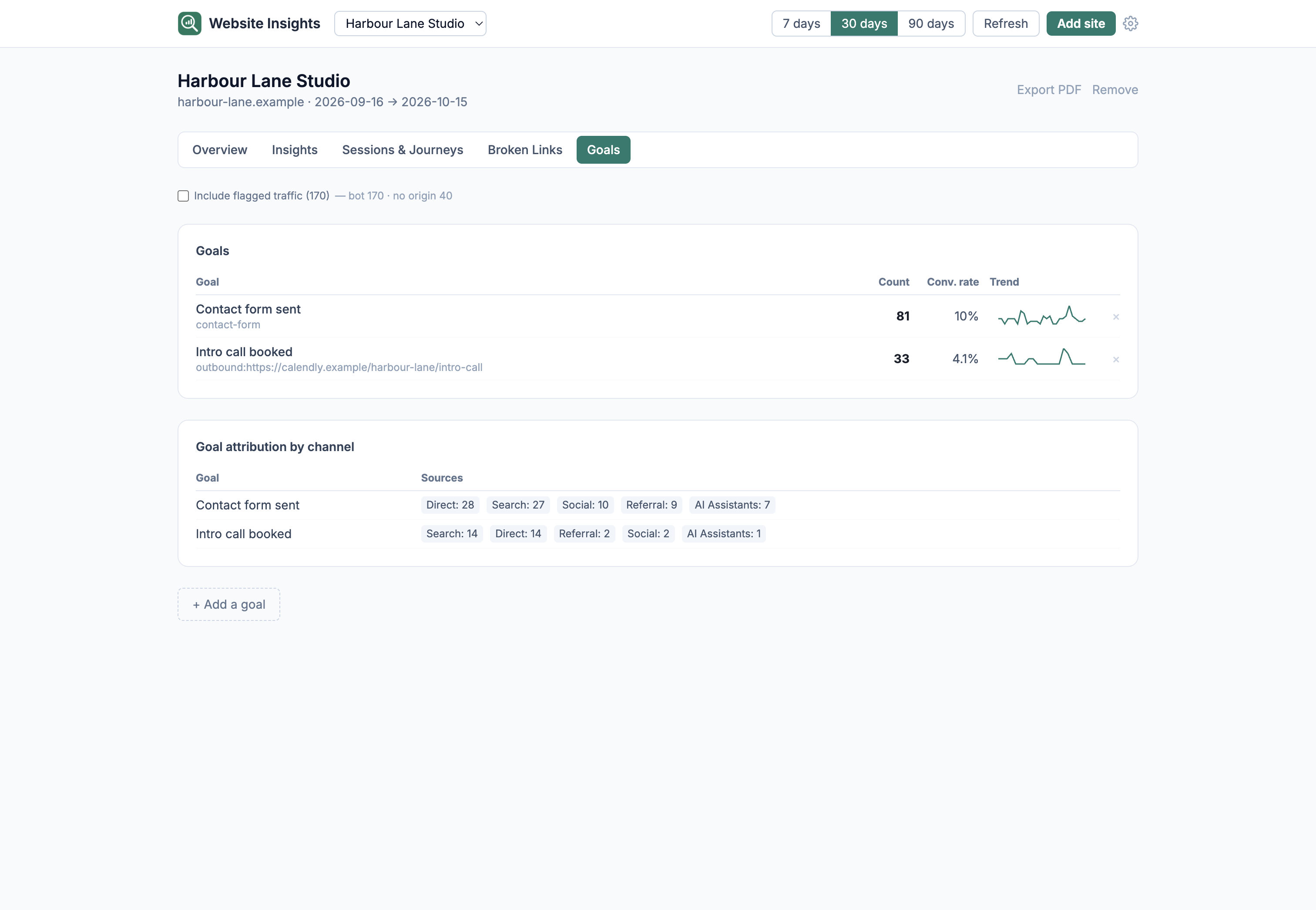
Search, social, referrals and AI assistants such as ChatGPT or Perplexity, with each visitor counted once under the source of their first visit.
A privacy-first analytics dashboard for Mac. It reads from a free, cookieless collector that runs on your own hosting, so the visitor data goes from your site to your Mac and not through a third-party analytics service.
Members only · Experimental · Included with the $49 annual membership
Available to download while your membership is active · macOS app for Intel and Apple Silicon · Needs the free collector on your site
First add the collector to your site, then connect it to the app with a read token, and the app pulls your visits into a local database on your Mac. The database is kept even if you replace the collector later.
Search, social, referrals and AI assistants such as ChatGPT or Perplexity, with each visitor counted once under the source of their first visit.
Each visit is shown as the path it took through your pages, from the page it started on to any outbound link that was clicked.
404 pages are listed with the page that linked to them, so you can fix the link.
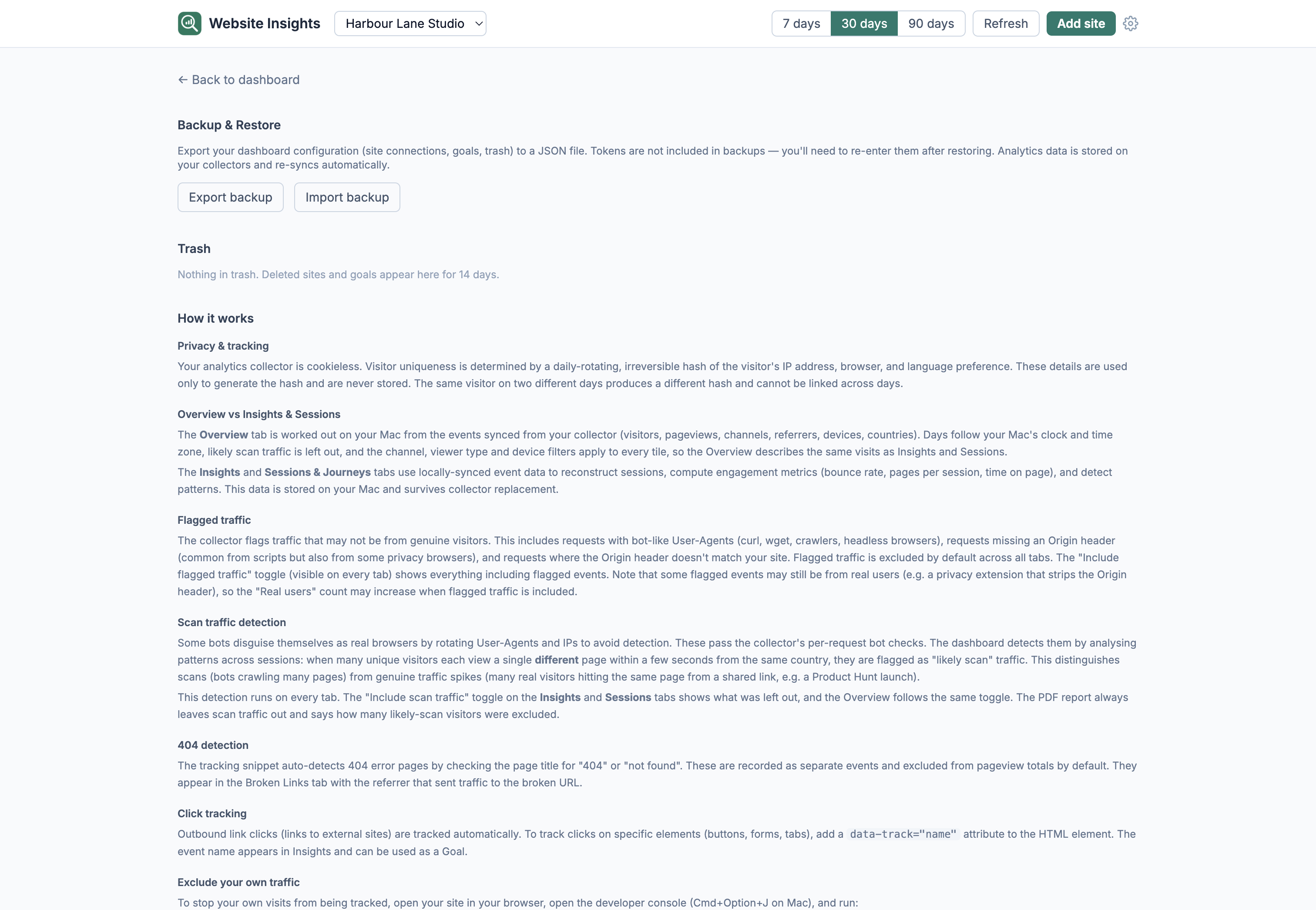
Real screens from the app, showing a demo site. Select any screenshot to enlarge it.
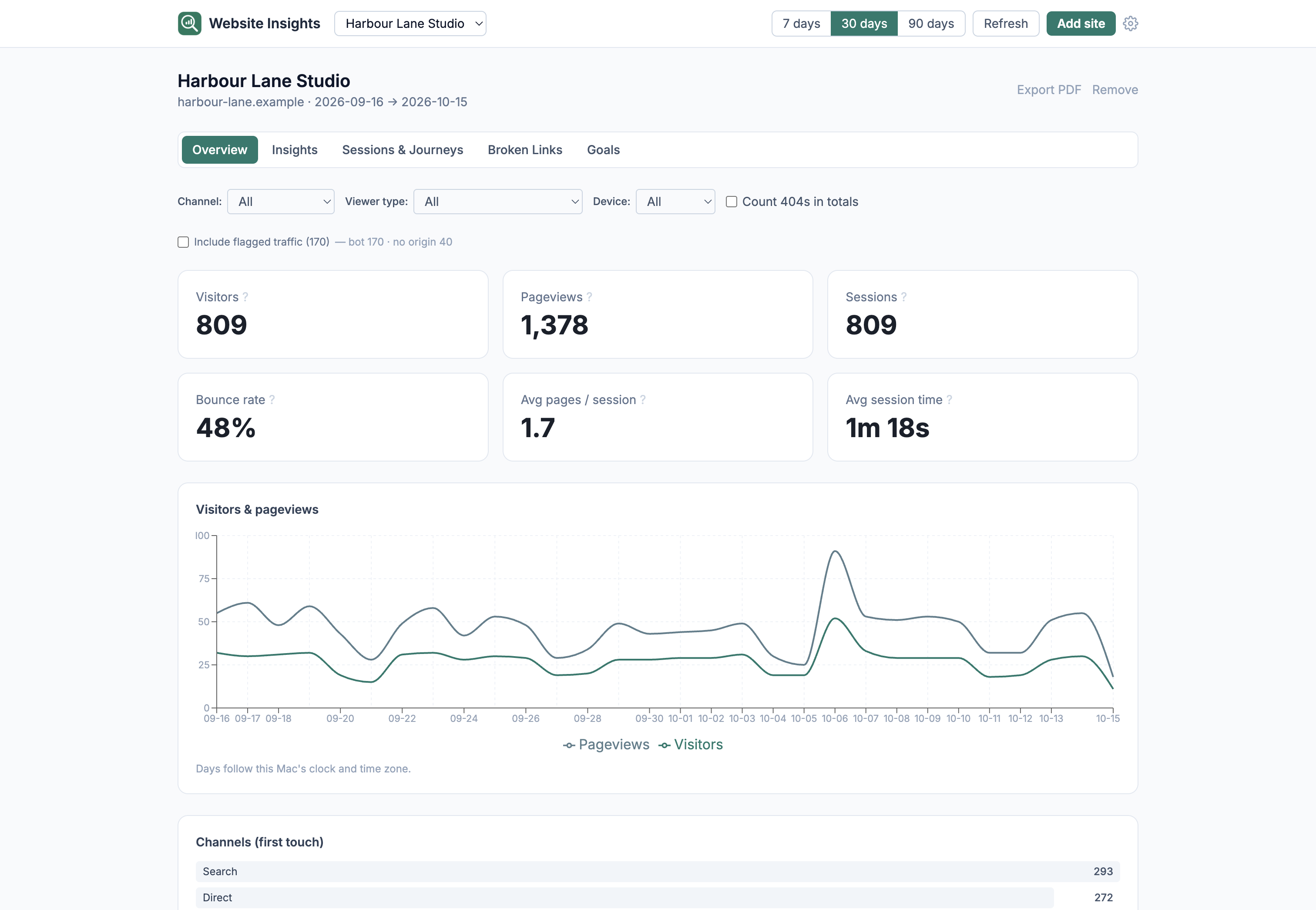
Visitors, pageviews, channels, top pages, referrers, devices and countries for the last 7, 30 or 90 days, with flagged traffic and likely scans left out unless you ask for them.
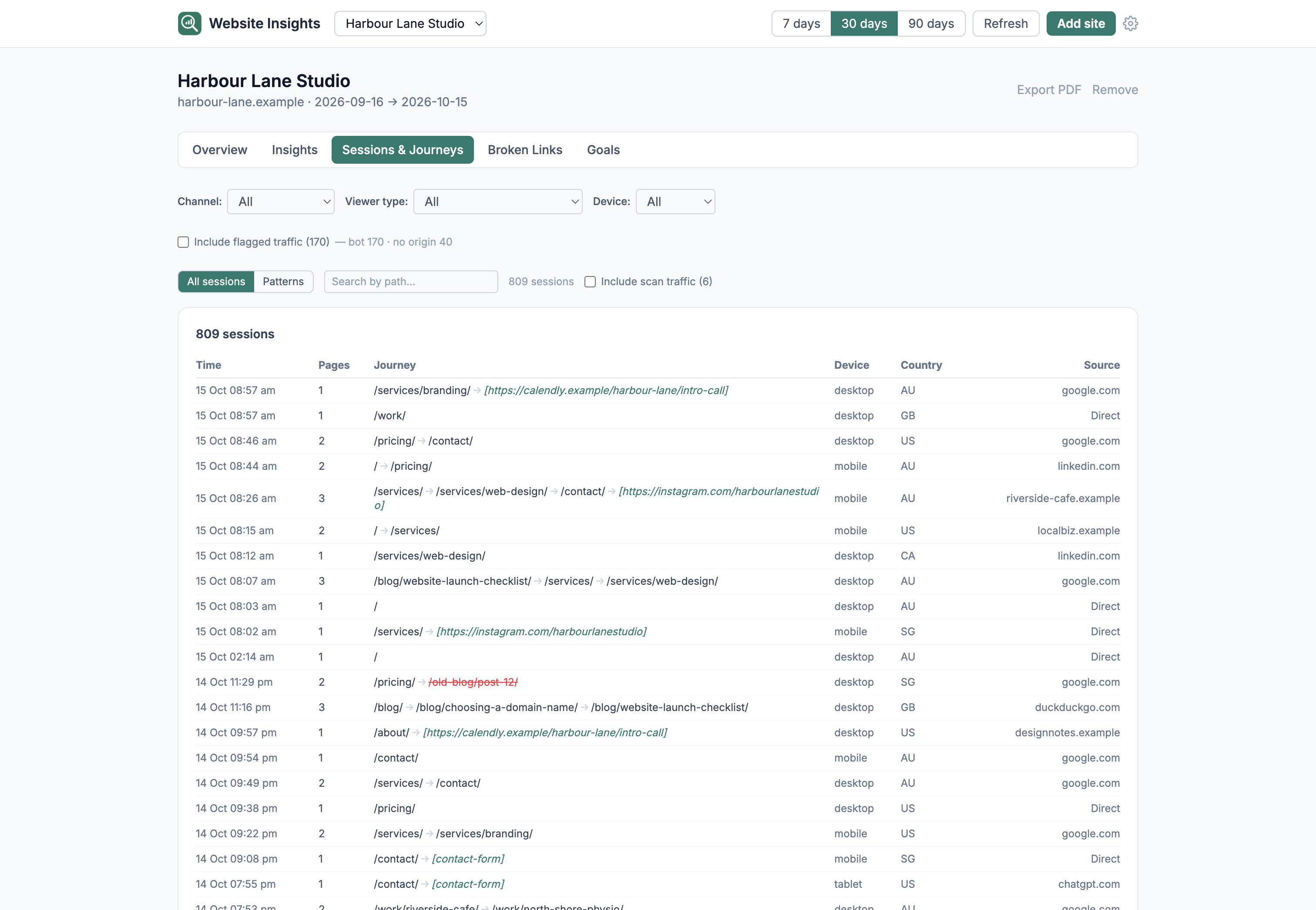
You can search the sessions by path, or switch to Patterns to group visits that took the same path, with the most common journeys at the top.
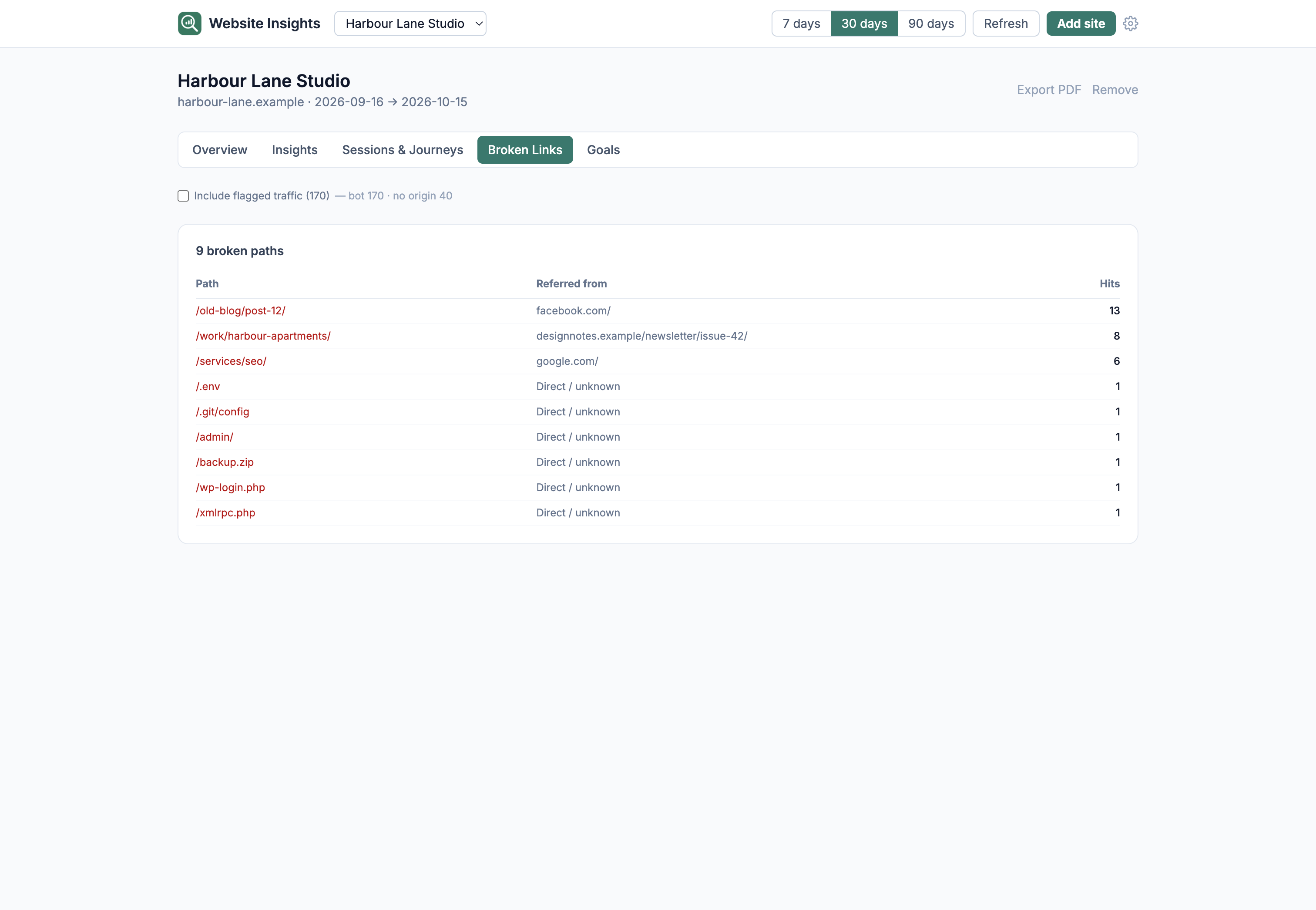
Broken Links lists the 404 pages the collector saw and how many times each one was hit. The script recognises a 404 from the page title, so a not-found page whose title doesn't say so may not show up here.
Members only · Experimental · Included with the $49 annual membership
What is included, how the two parts fit together, how visitors are counted and what experimental means. Each heading opens to the full answer.
The collector does not use cookies, local storage or any persistent ID. It makes a hash from the visitor's IP address, browser and language preference together with a random salt that changes every day, and the IP address and browser details are not stored. Because the salt changes daily, the same person on two different days counts as two visitors, and counts may not match a tool that sets a cookie.
Sessions are visits by one visitor with no gap longer than 30 minutes. Channels count each visitor once, under the source of their first visit in the date range, so a visitor who came from search is not also counted under Referral, and page-to-page navigation within your site is not counted as a source.
The collector flags visits that look like bots, scripts or requests with a missing or mismatched origin, and the app leaves those out by default. The app also looks for likely scans, where many visitors each hit a different page within seconds from the same country, and leaves those out too. Both can be included with a toggle, because some flagged visits may be real people, for example on a privacy browser that does not send an Origin header.
Website Insights is an experiment that I built for my own sites and am sharing with members. It was a quick build on an idea, so I may not continue to support it in the way I do the apps built for specific needs. Versions you downloaded during a paid membership period can still be used if that happens, as long as that period was not refunded. The collector is open source and the visits are kept in the app's local database on your Mac.
I mainly wanted this app because I'm mindful of tracking for user privacy, but I also know that website owners want a simple way to see how people are interacting with their site, to know what pages are working, what links are broken, etc., so this is that simple type of app.
No. Website Insights is only available with the membership.
Updates are included while your membership is active. You can see the full list of changes on the changelog page.
Step-by-step guides, from connecting your first site to goals, PDF reports and backups, are in the Website Insights help pages. Setting up the collector itself is covered in its setup guide. For anything else, email david@tiongcreative.com.au.
Updates included while your membership is active
