
Keep client context together
Profiles, jobs, tasks and activity stay connected to each client.
Keep clients, jobs, invoices and reminders organised on your Mac. Your records save on your computer, with no app account required.
$29 USD · One-time purchase · Future updates included
14-day money-back guarantee · macOS 12 or later, Intel and Apple Silicon · Checkout opens on Gumroad
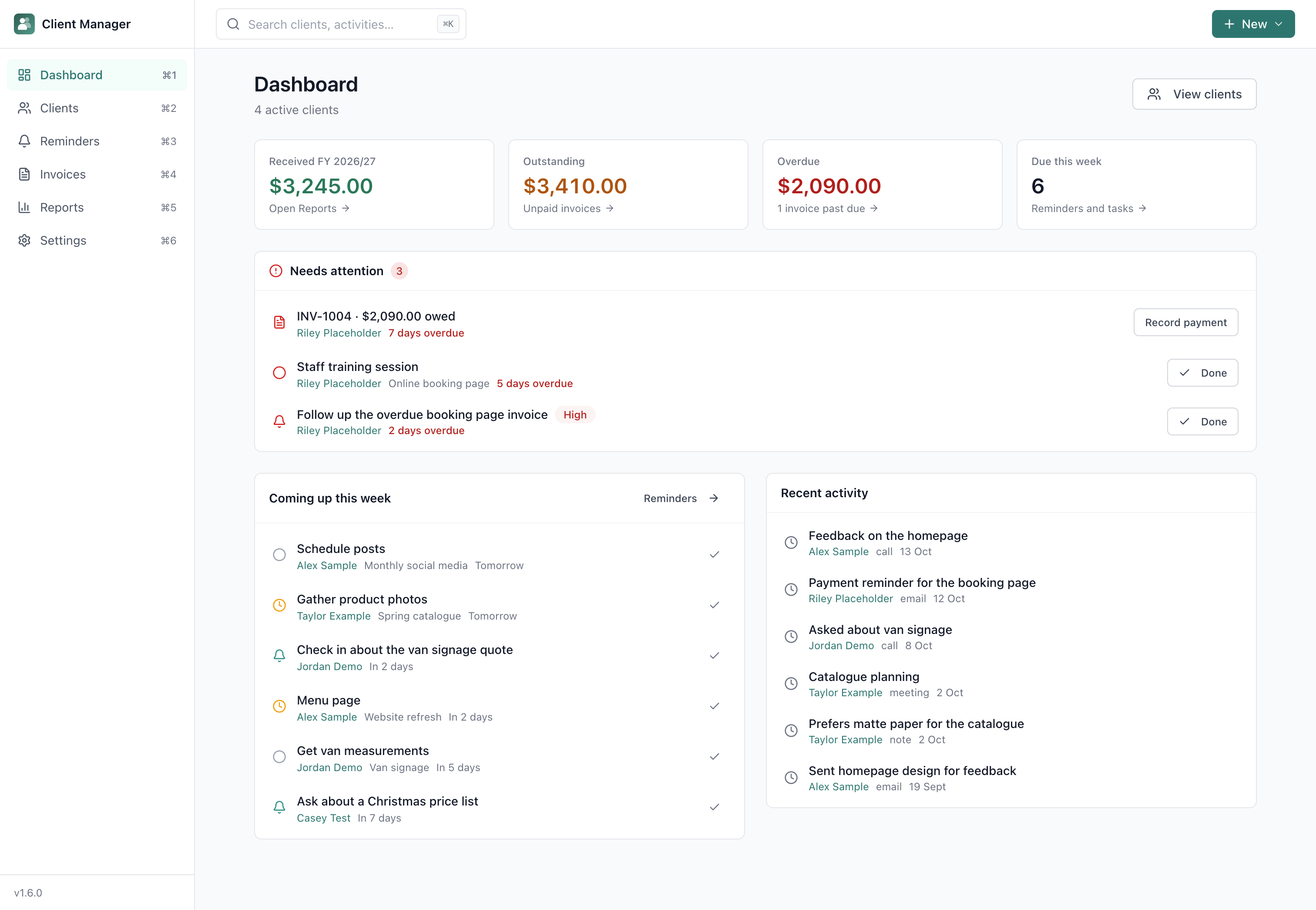
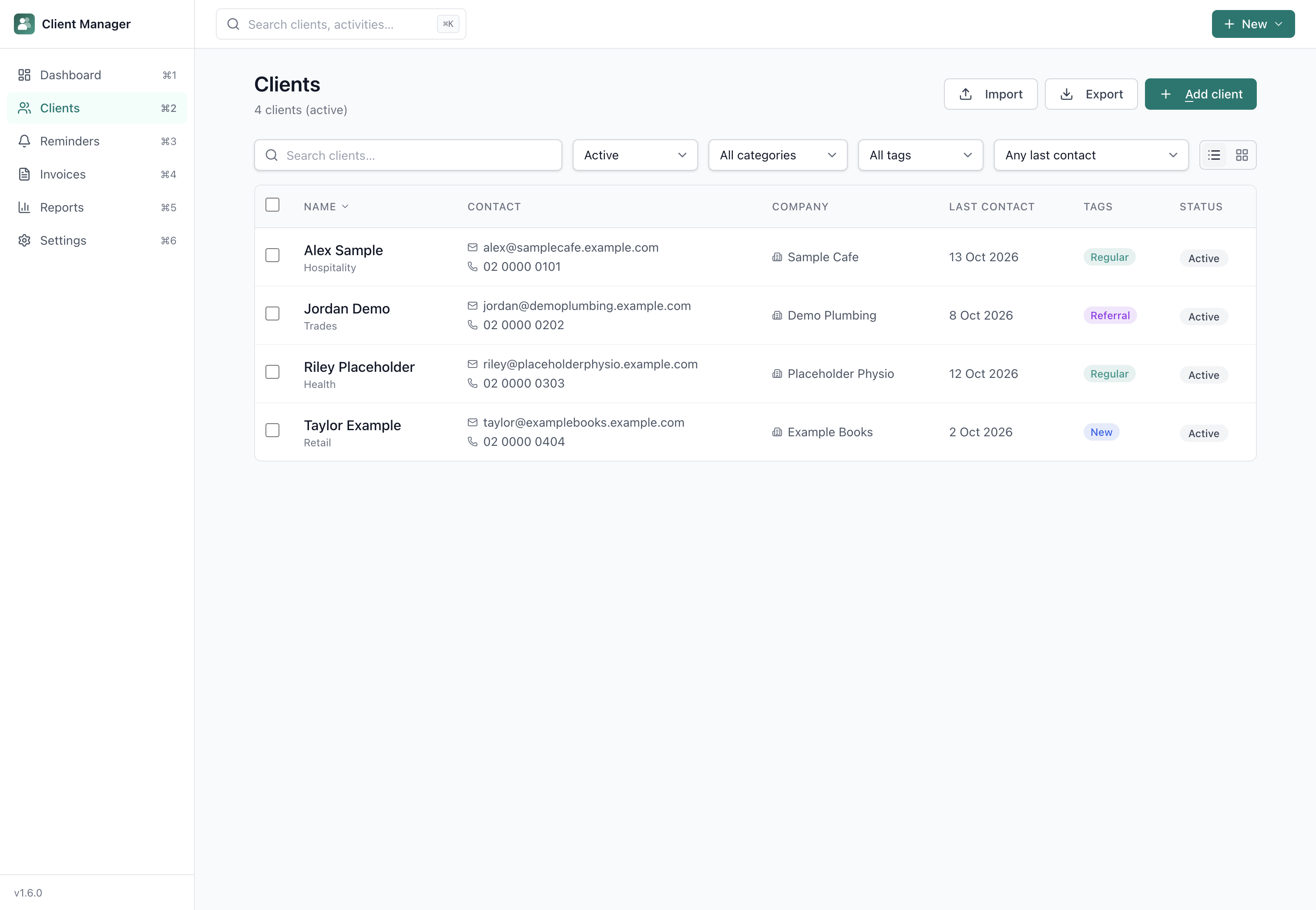
Keep every client, job, invoice and follow-up organised in one place, with your records under your control.
Profiles, jobs, tasks and activity stay connected to each client.
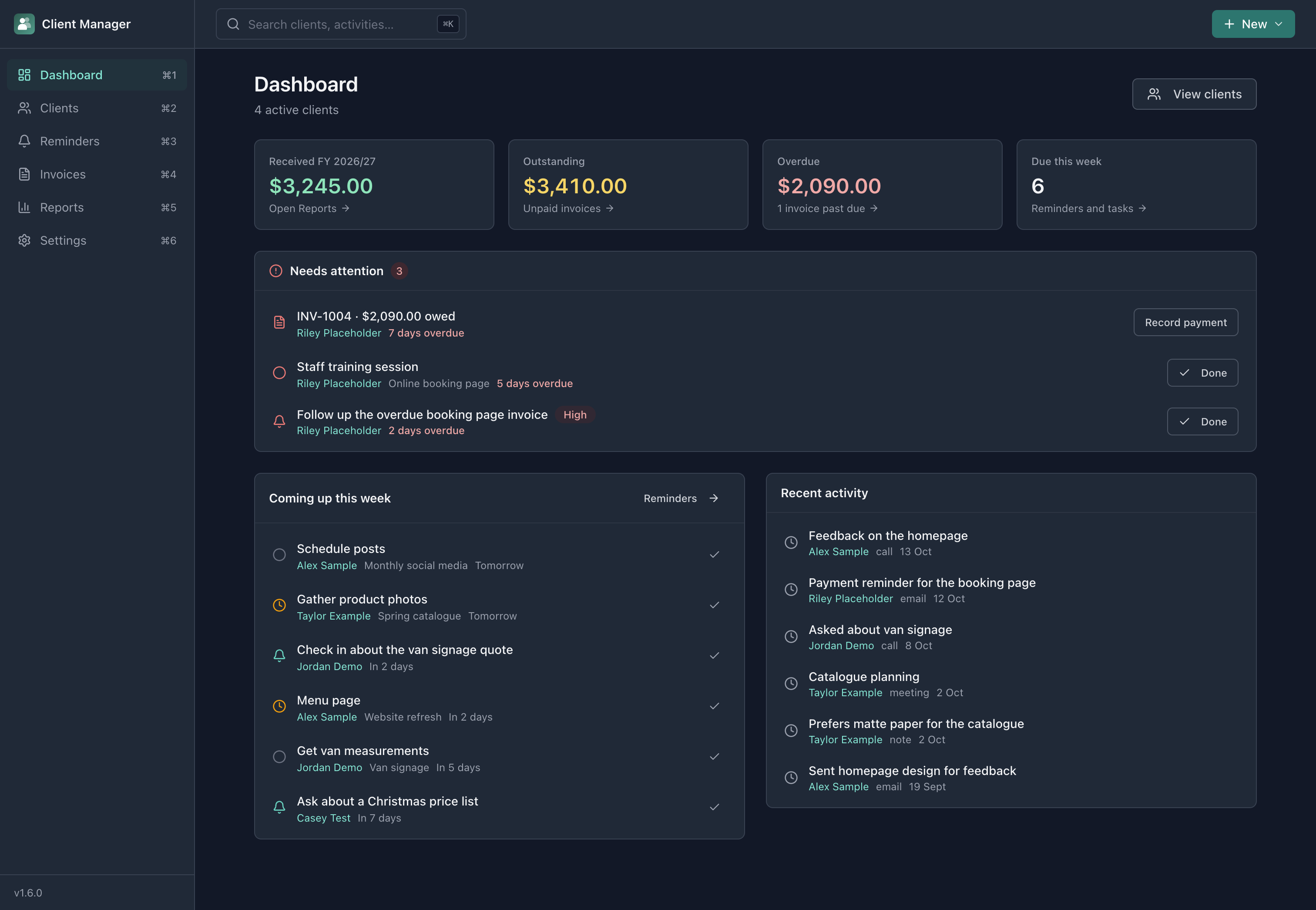
See overdue reminders, upcoming tasks and outstanding invoices in one place.
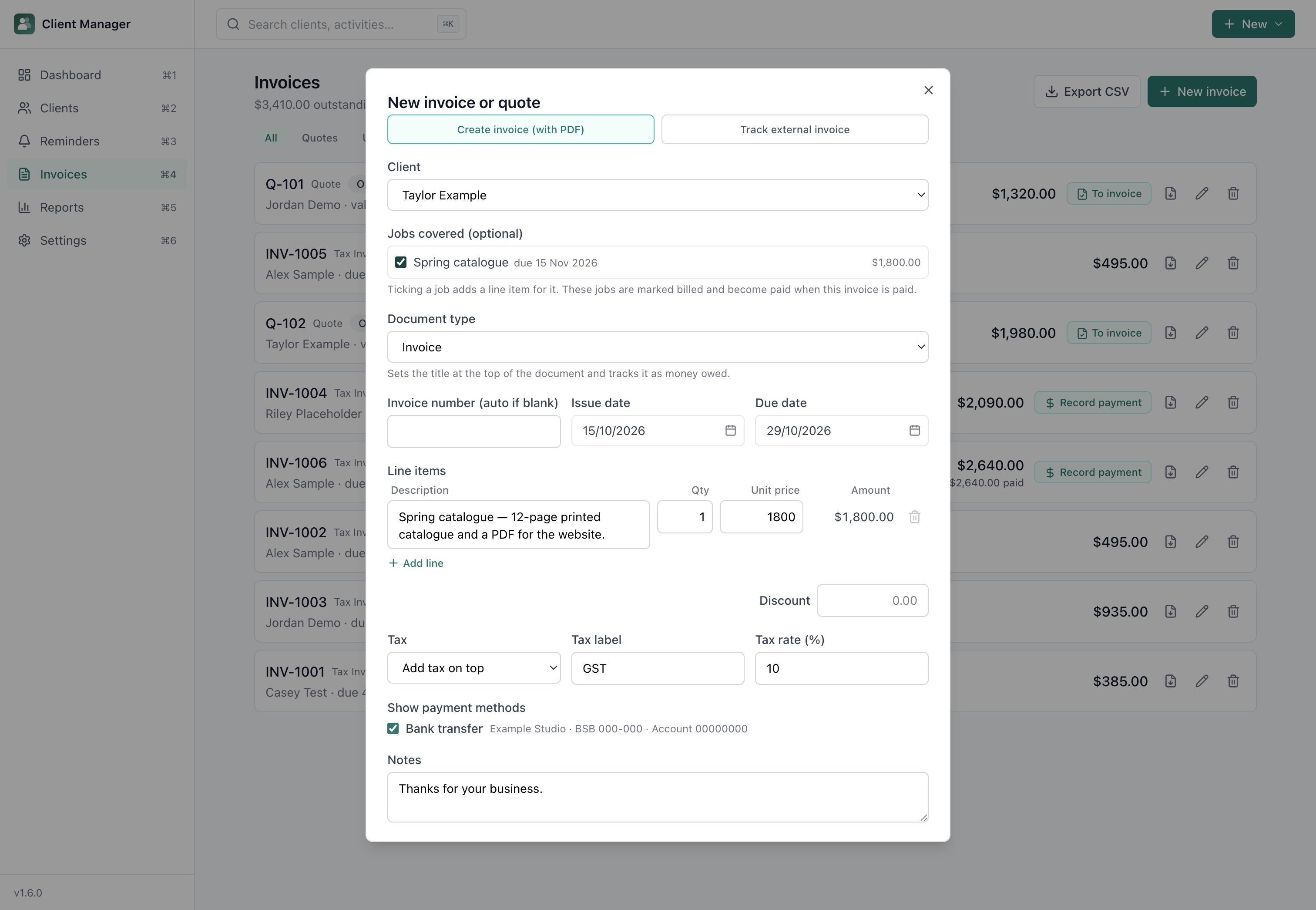
Create branded PDF quotes and invoices from a business profile you set up once.
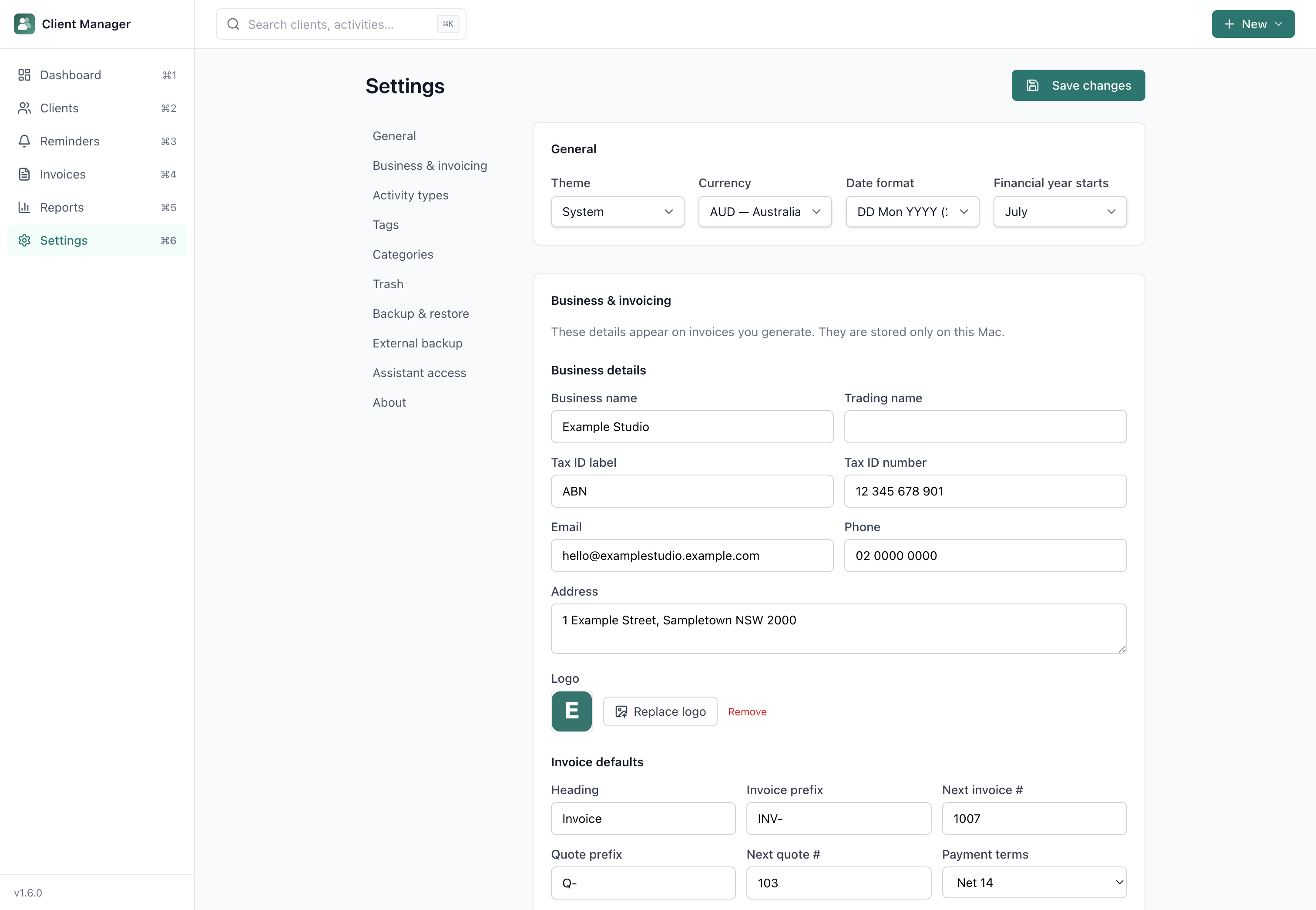
Real screens from the app. Select any screenshot to enlarge it.
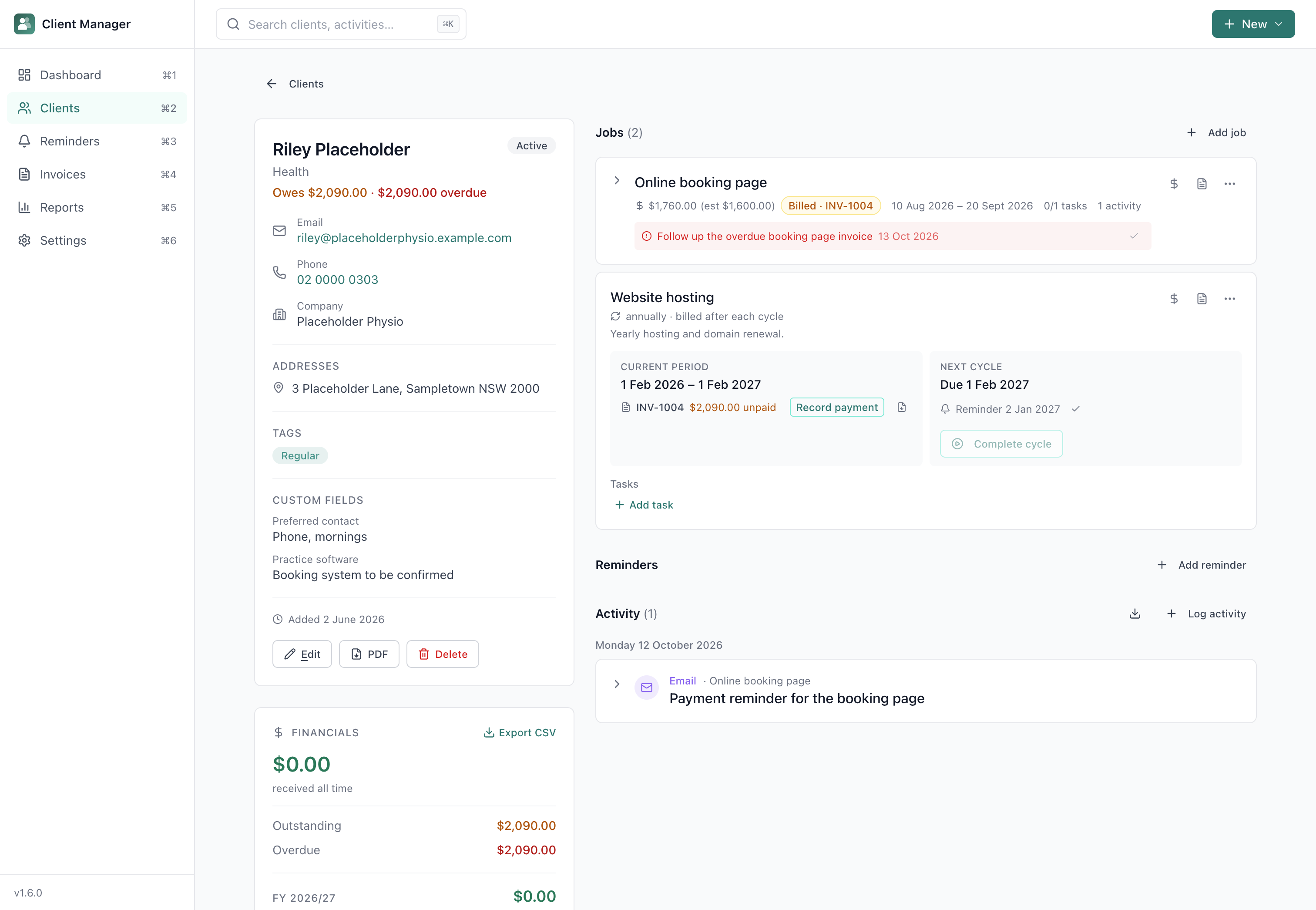
Open a client to see their jobs with tasks and time tracking, their reminders and their activity history, without piecing together separate tools.
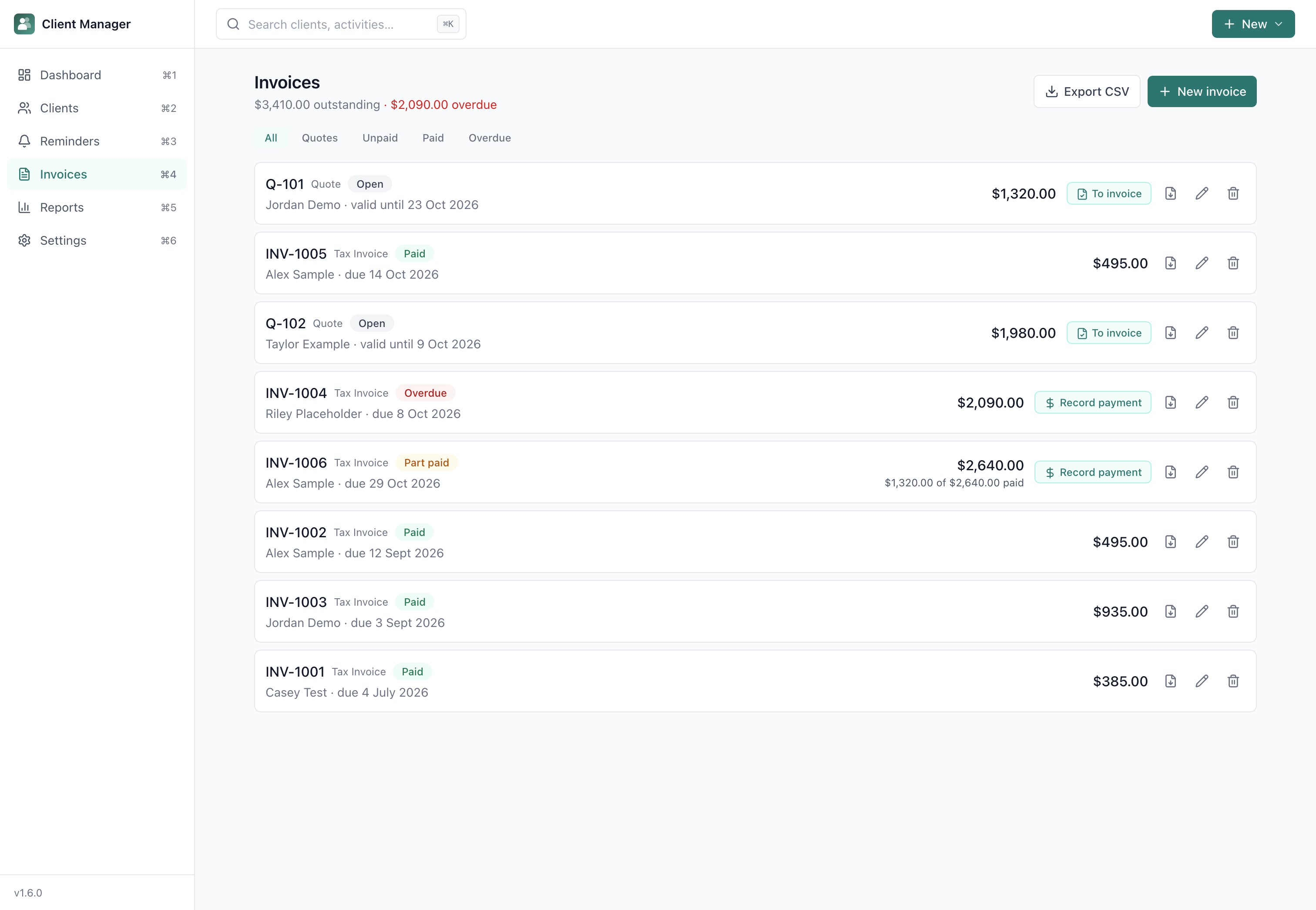
Create branded quotes and invoices, track partial payments and spot overdue balances.
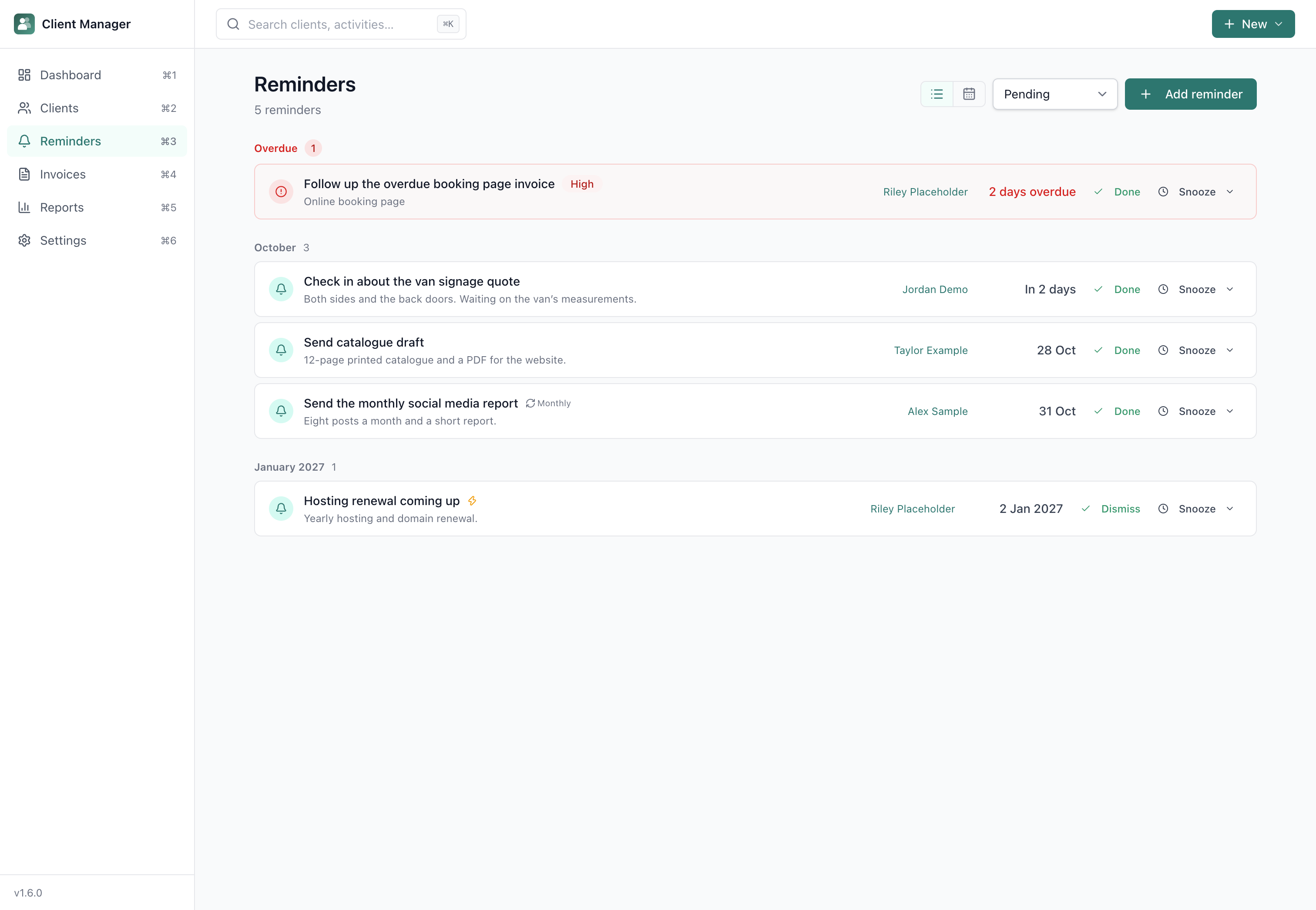
Set follow-ups and recurring reminders, then see what needs your attention today.
14-day money-back guarantee · Future updates included
The complete feature list, who the app suits, setup steps and answers to common questions. Open any heading for the full answer.
First time installing one of these apps? The Installing an app guide walks through downloading it from your Gumroad Library and installing it on your Mac.
Yes. Once downloaded and installed, you can manage clients, jobs, tasks, invoices, quotes, payment records and reminders without an internet connection. Your records and local backups are saved on your Mac. Update checks and downloads, external websites, emailing documents and syncing a backup folder through a cloud service need internet. Recording a payment tracks money received; it does not process an online payment.
No. Open the installed app and start adding clients. You do not need a Client Manager account or an online sign-in to access your saved records.
No. Client records, jobs, invoices, reminders, settings and backups are stored on your Mac. You can choose to export them or back up to a folder managed by a cloud service.
Yes. The app automatically creates hourly backups (if data changed) and daily backups, keeping up to 10 of each. You can restore from any backup in Settings. You can also export all data as a JSON file and set an external backup folder (iCloud, Dropbox, or an external drive) for off-machine safety.
No. Client Manager generates invoices and tracks payments, but it is not a double-entry ledger or tax return tool. Think of it as a client book with invoicing built in.
Yes. Set your ABN, GST rate, business name, logo, and payment methods in the Business Profile section of Settings. These appear on every invoice and quote you generate.
Yes. When creating an invoice you can select multiple jobs. Revenue is allocated across them based on line item totals.
Yes. Client Manager is code-signed with an Apple Developer ID and notarised by Apple, for both Intel and Apple Silicon Macs. macOS verifies it opens without security warnings.
Currently macOS only (12 or later). A Windows version may follow based on demand.
Yes. Individual app purchases include a 14-day money-back guarantee. Install it, try it, and if it does not suit your needs, email david@tiongcreative.com.au with your order details within 14 days of purchase.
If your purchase is fully refunded and the licence ends, you must stop using the app and delete copies and installers held under that licence. Your own documents and exported work remain yours to keep.
No. Client Manager is a one-time purchase. There is no monthly fee, no account, and no cloud. Or get every app through the Tiong Creative membership with updates while your membership is active.
Yes. When you buy the app on its own there is no subscription, and future updates to it are included.
Prices are in USD and payment is processed securely by Gumroad. Gumroad may show the price converted to your local currency as a guide, but your card is charged in USD, so your bank may add a small foreign transaction fee.
If you buy the app, every future update to it is included at no extra cost. Members get updates while their membership is active. See the full list of changes on the changelog page. To update, download the latest version from your Gumroad Library, open the DMG, and drag the app to Applications. Choose Replace when macOS asks. Your data and settings are kept automatically.
Step-by-step guides, from your first client to invoices, reminders and backups, are in the Client Manager help pages. Release notes are on the changelog page. For anything else, email david@tiongcreative.com.au.
$29 USD one-time purchase · 14-day money-back guarantee · Future updates included
I have worked across product management, agency ownership, SaaS support and product enablement, and I am the person behind davidtiong.com. I built Client Manager because the CRMs I looked at were limited in what they offered for free and locked you into monthly or yearly subscriptions to get the features you actually need. This one is pay once, use it as often and however you need, and as always you can export all your data and hand it off to another tool or AI in the future if you want to.
