
Plan your whole budget
Income, bills, estimates and accounts sit together in one plan.
Bring your accounts, income, bills and spending into one plan, and see what a loan or big purchase would do to your budget. Your data stays on your computer, with no account and no bank login.
$29 USD · One-time purchase · Future updates included
14-day money-back guarantee · macOS 12 or later, Intel and Apple Silicon · Checkout opens on Gumroad
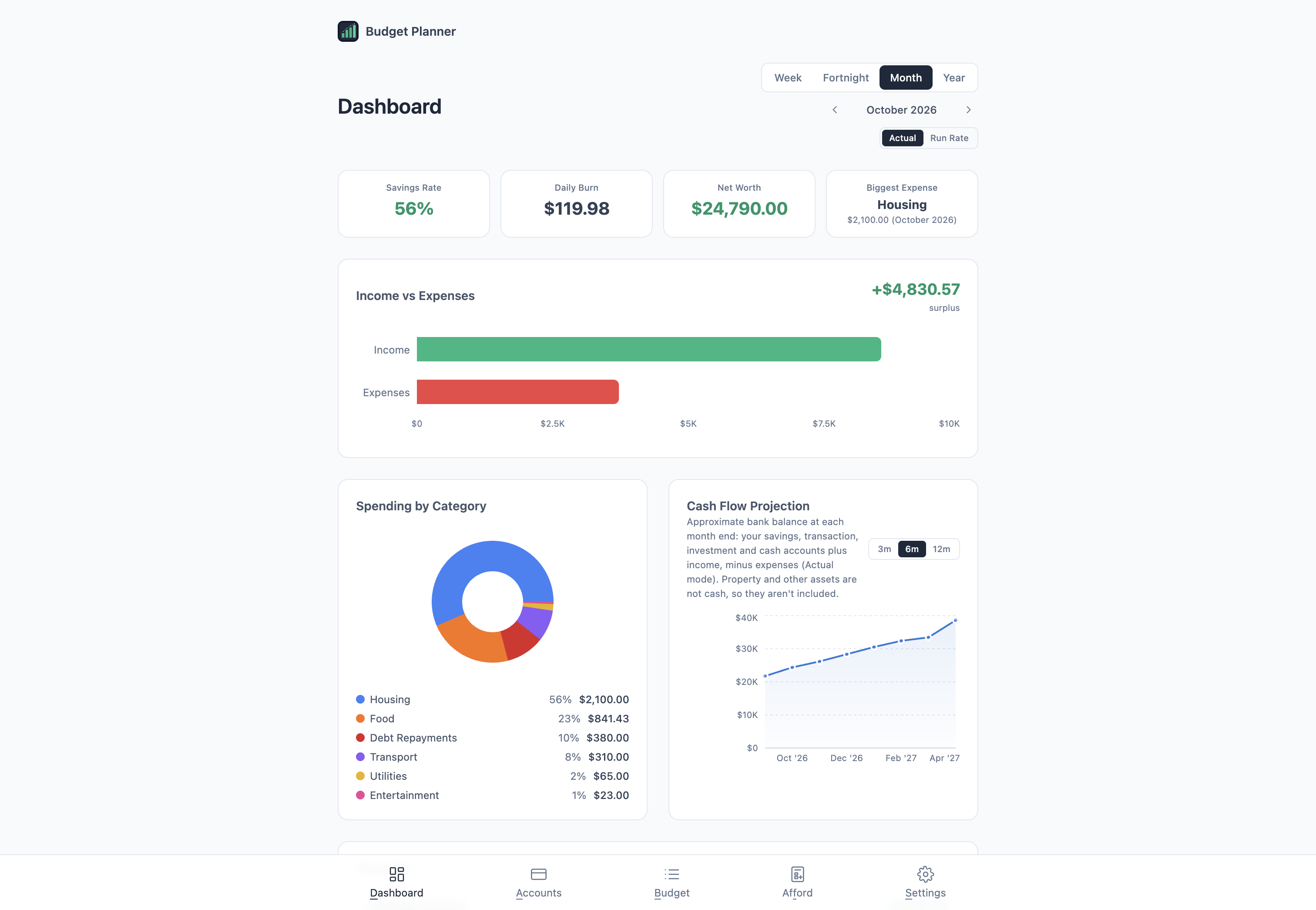
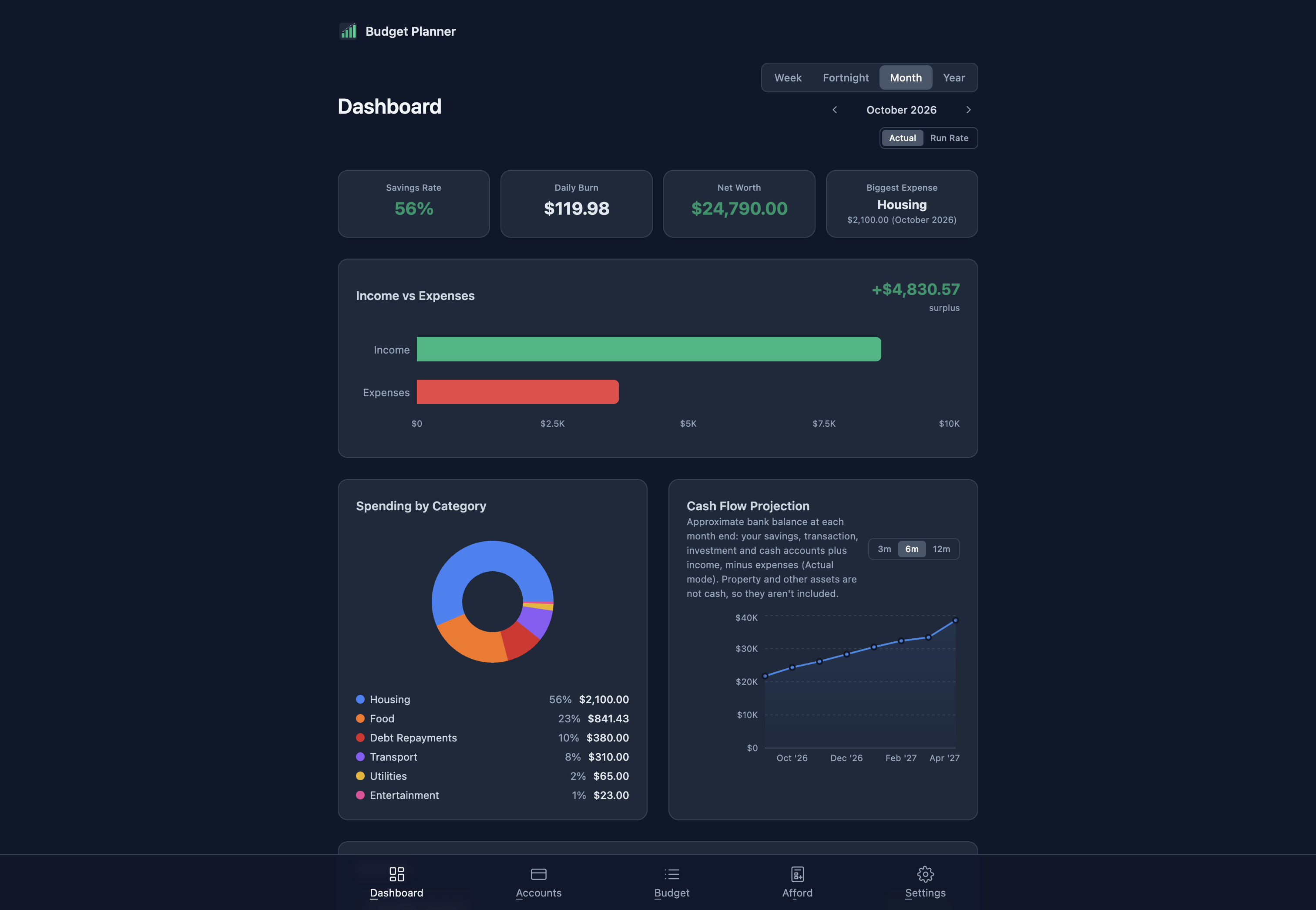
Know what is left after every bill, and what a loan or a big purchase would change, before you commit to it.
Income, bills, estimates and accounts sit together in one plan.
Switch between real payment dates and a smooth average for any period.
Try a loan or purchase as a scenario, without touching your actual budget.
Real screens from the app. Select any screenshot to enlarge it.
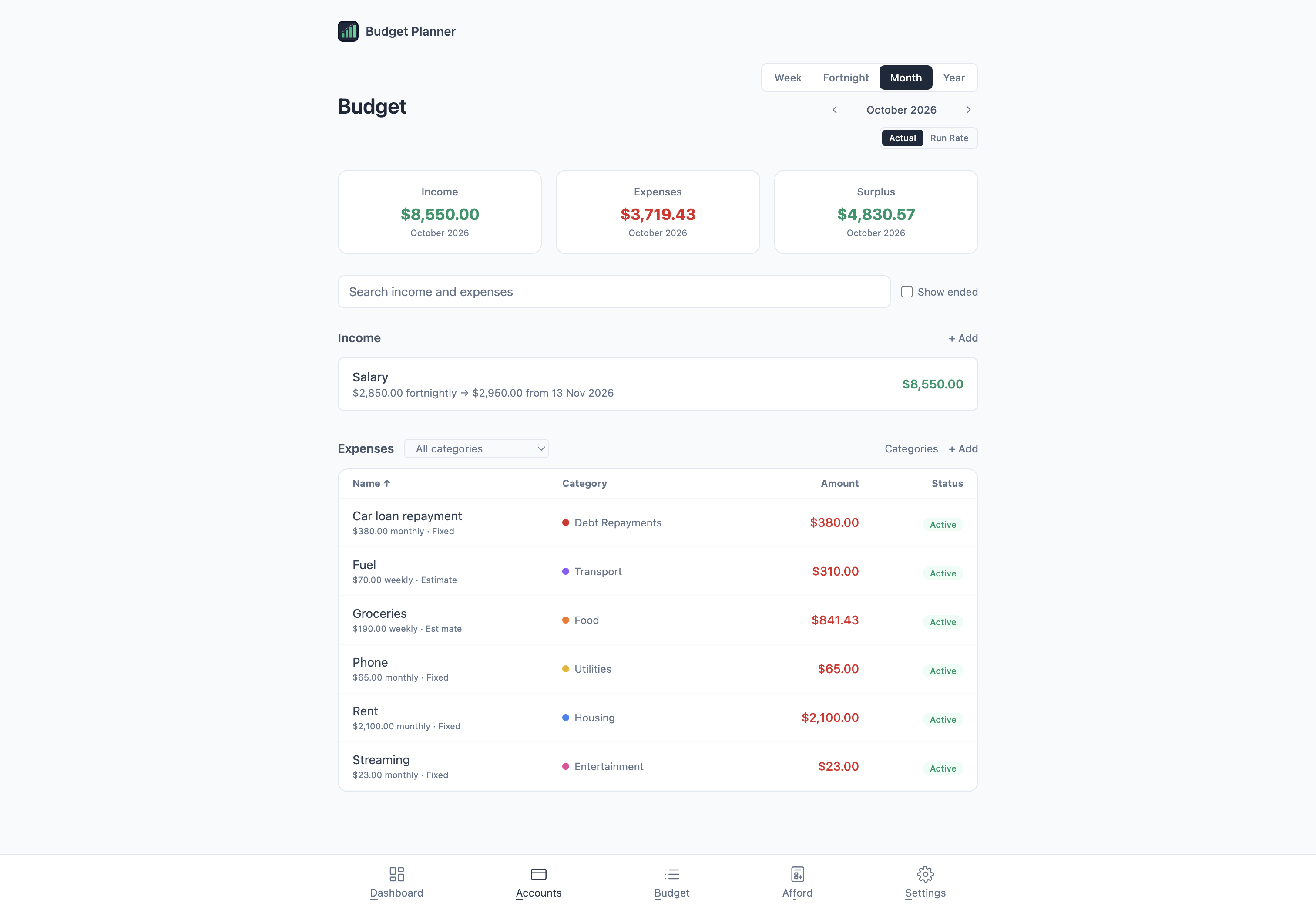
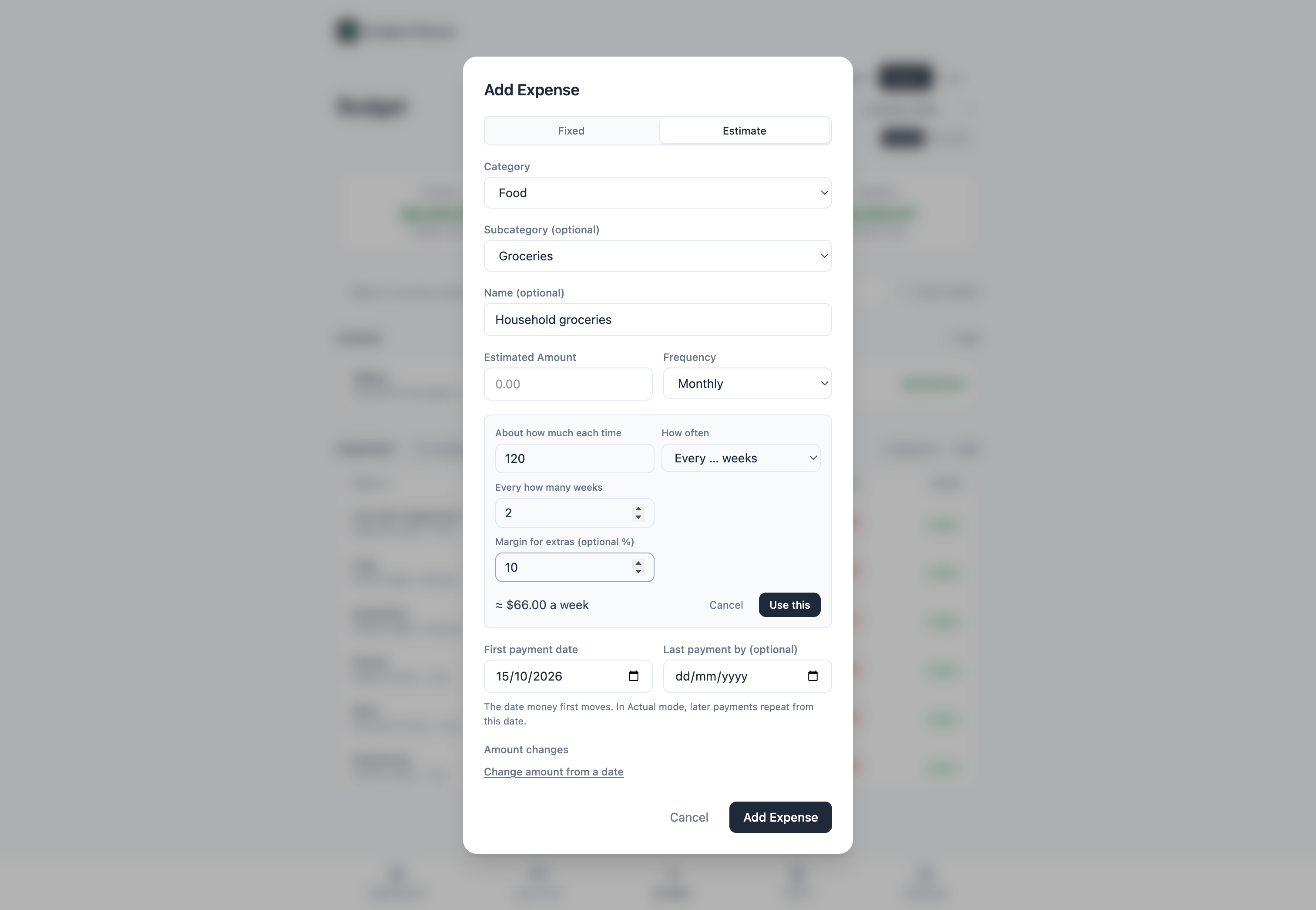
Add income and expenses for the period you choose, and search across them.
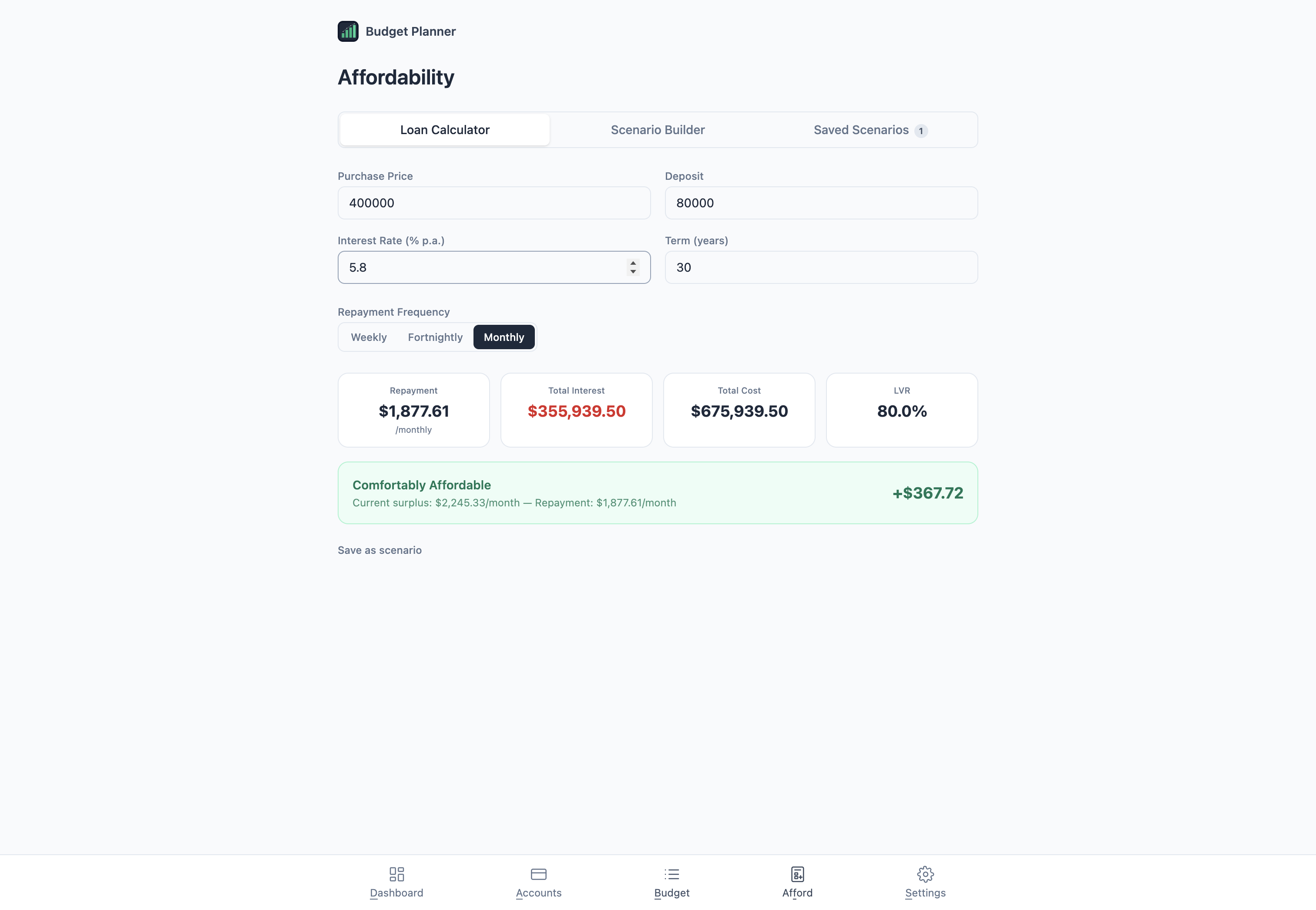
See repayments, total interest and LVR against your current surplus.
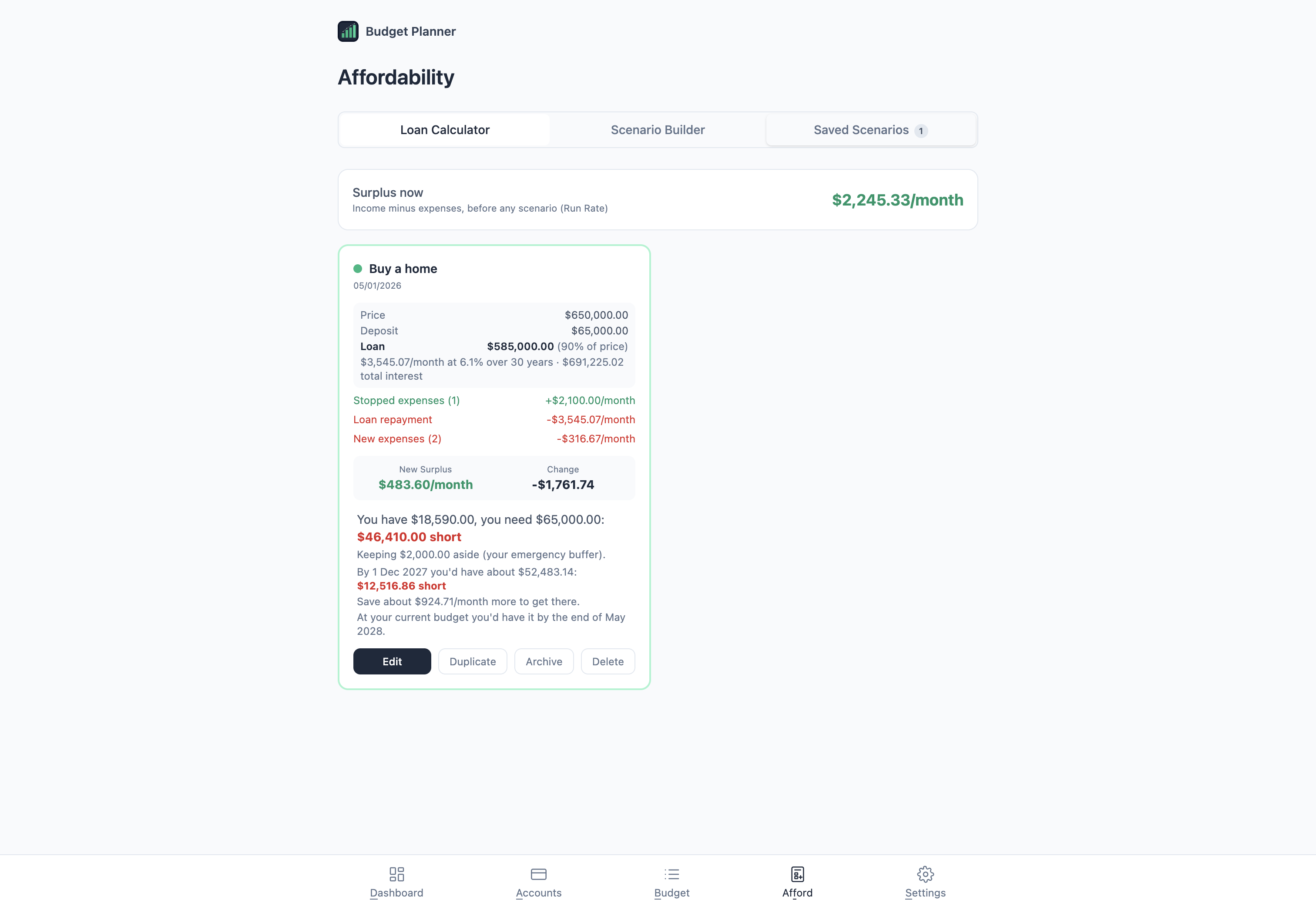
Save scenarios to see what changes, the new surplus, and whether you have the cash for it.
14-day money-back guarantee · Future updates included
The complete feature list, how it differs from a spreadsheet or bank app, setup steps and answers to common questions. Open any heading for the full answer.
First time installing one of these apps? The Installing an app guide walks through downloading it from your Gumroad Library and installing it on your Mac.
No. There is no bank login and no transaction import. You enter your accounts, income and expenses, and update balances when you want to.
Yes. Once installed, everything in the app works without an internet connection. Checking for updates and downloading them need internet.
No. Open the installed app and start planning. You do not need a Budget Planner account or an online sign-in.
No. Accounts, income, expenses, scenarios and settings are stored on your Mac. The app does not upload them anywhere. If you choose a backup folder in iCloud Drive or Dropbox, backups are copied there by that service.
Yes. The app saves a backup automatically each day your data changes and keeps two weeks of them. You can also create named restore points, export a full backup file, and choose a backup folder, such as one in iCloud Drive, so a copy survives a new or lost Mac. Budget Planner never deletes anything in that folder.
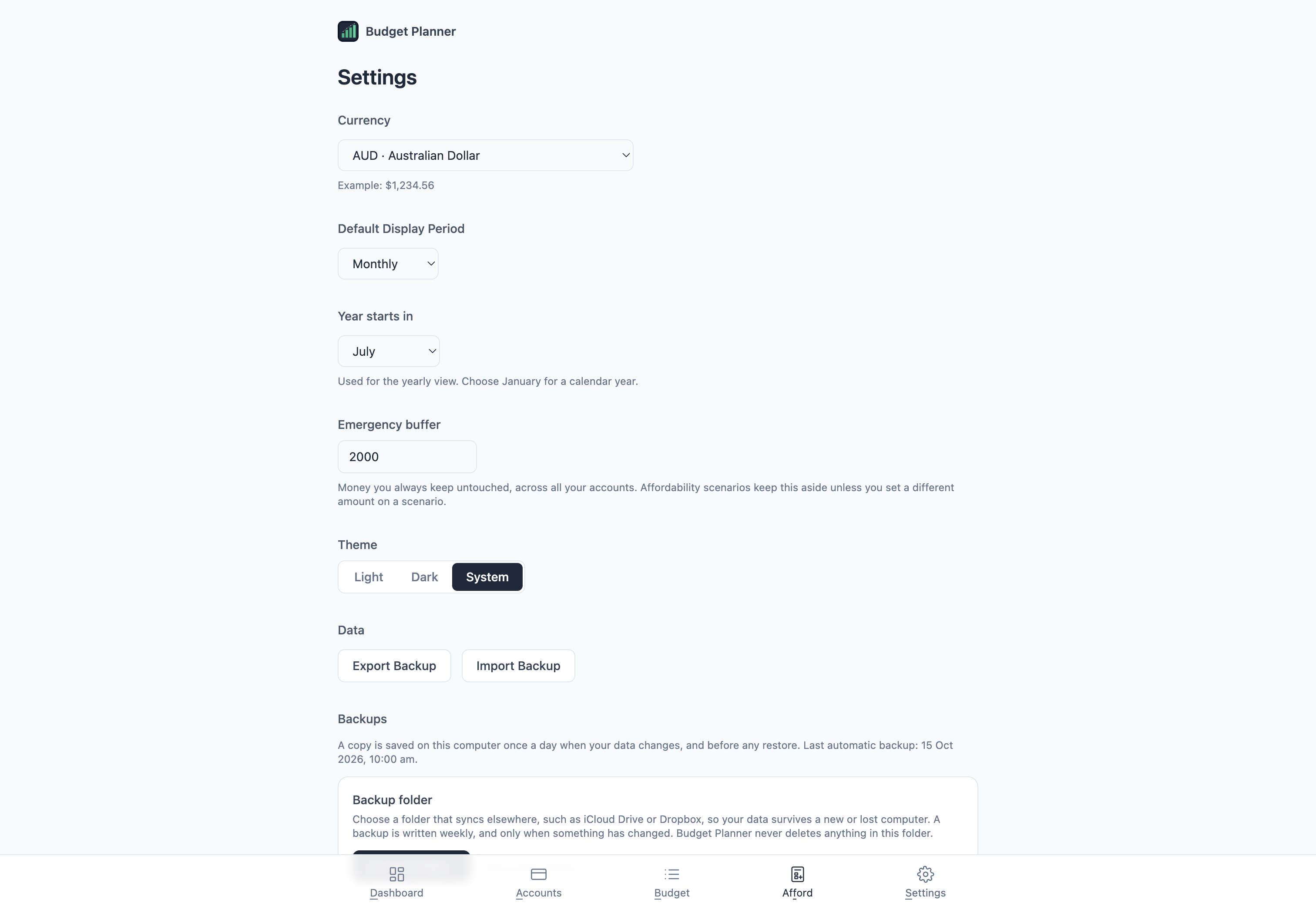
Choose your currency in Settings. Amounts are written the way your Mac is set up in Language & Region. The app does not convert between currencies.
Yes. Budget Planner is code-signed with an Apple Developer ID and notarised by Apple, for both Intel and Apple Silicon Macs. macOS verifies it opens without security warnings.
Currently macOS only (12 or later). A Windows version may follow based on demand.
Yes. Individual app purchases include a 14-day money-back guarantee. Install it, try it, and if it does not suit your needs, email david@tiongcreative.com.au with your order details within 14 days of purchase.
If your purchase is fully refunded and the licence ends, you must stop using the app and delete copies and installers held under that licence. Your own documents and exported work remain yours to keep.
Yes. When you buy the app on its own there is no subscription, and future updates to it are included.
No. Budget Planner is a one-time purchase, with future updates included. Or get every app through the Tiong Creative membership with updates while your membership is active.
Prices are in USD and payment is processed securely by Gumroad. Gumroad may show the price converted to your local currency as a guide, but your card is charged in USD, so your bank may add a small foreign transaction fee.
If you buy the app, every future update to it is included at no extra cost. Members get updates while their membership is active. See the full list of changes on the changelog page. To update, download the latest version from your Gumroad Library, open the DMG, and drag the app to Applications. Choose Replace when macOS asks. Your data and settings are kept automatically.
Step-by-step guides, from setting up to affordability and backups, are in the Budget Planner help pages. Release notes are on the changelog page. For anything else, email david@tiongcreative.com.au.
$29 USD one-time purchase · 14-day money-back guarantee · Future updates included
I have worked across product management, agency ownership, SaaS support and product enablement, and I am the person behind davidtiong.com. I built Budget Planner to plan my own budget, and I use it with my own accounts and bills. It runs on your Mac, your financial details stay on the machine, and you can export everything if you ever want to move on.
