
Lists and notes in one place
Checklists with priorities and a Markdown editor with live preview.
A privacy-first, offline notes app and list manager for Mac. Write, organise, search and export to PDF or Word, with your work saved on your computer and no app account required.
$15 USD · One-time purchase · Future updates included
14-day money-back guarantee · macOS 12 or later, Intel and Apple Silicon · Checkout opens on Gumroad · Optional AI tools need internet and send the content you select to your chosen provider
Keep your ideas, everyday lists and finished writing together, saved as files on your Mac.
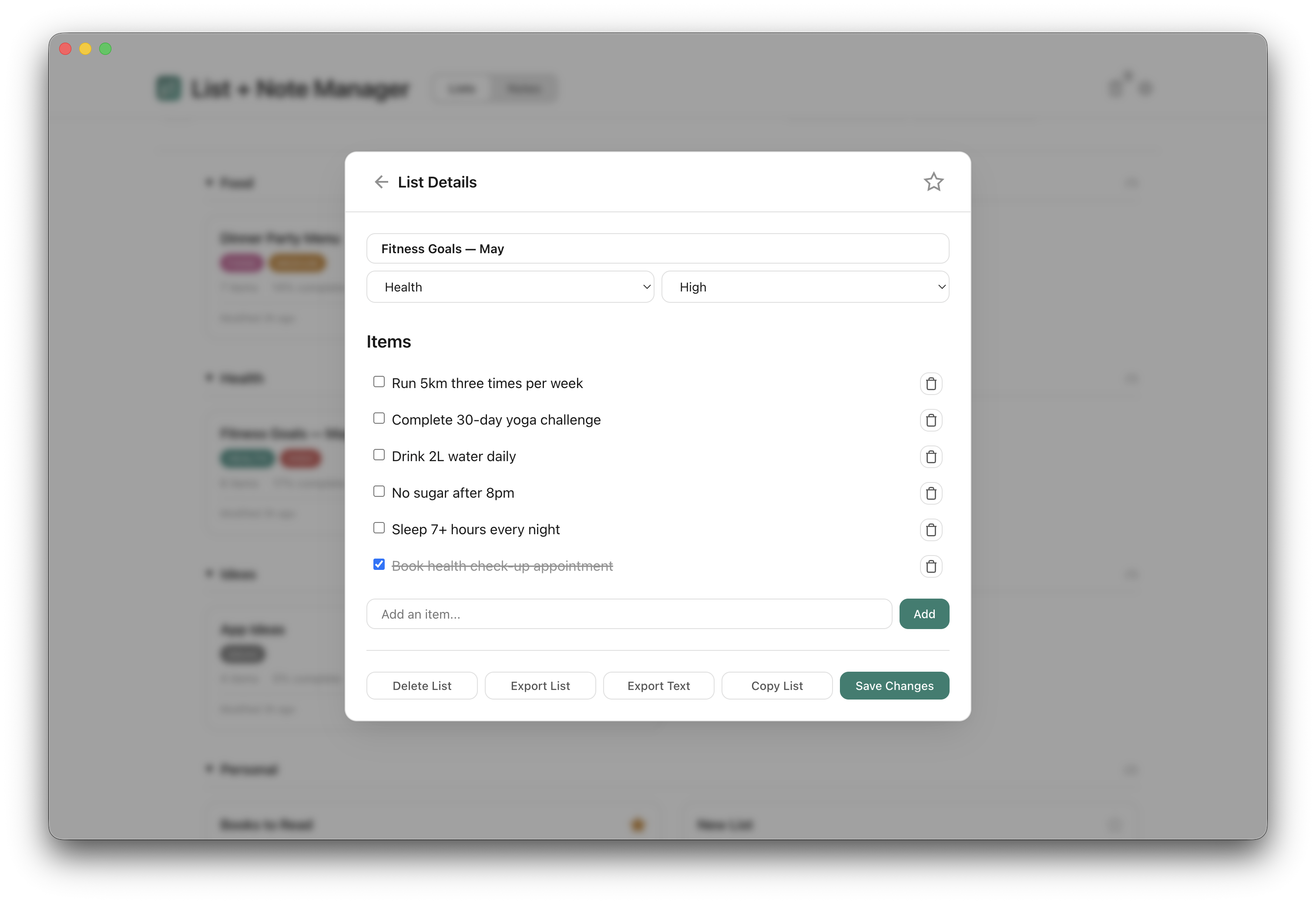
Checklists with priorities and a Markdown editor with live preview.
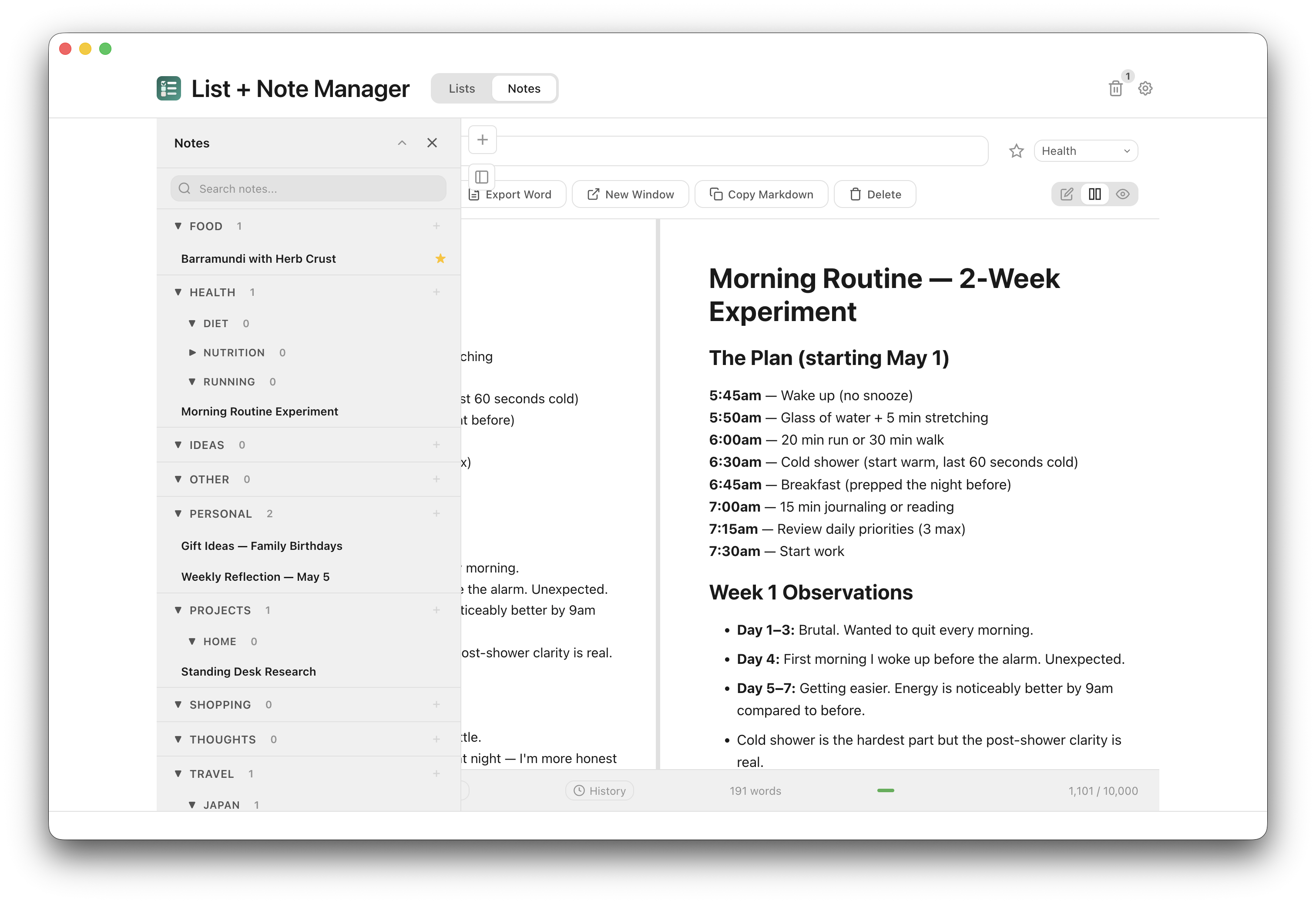
Categories, subcategories and search across everything from the sidebar.
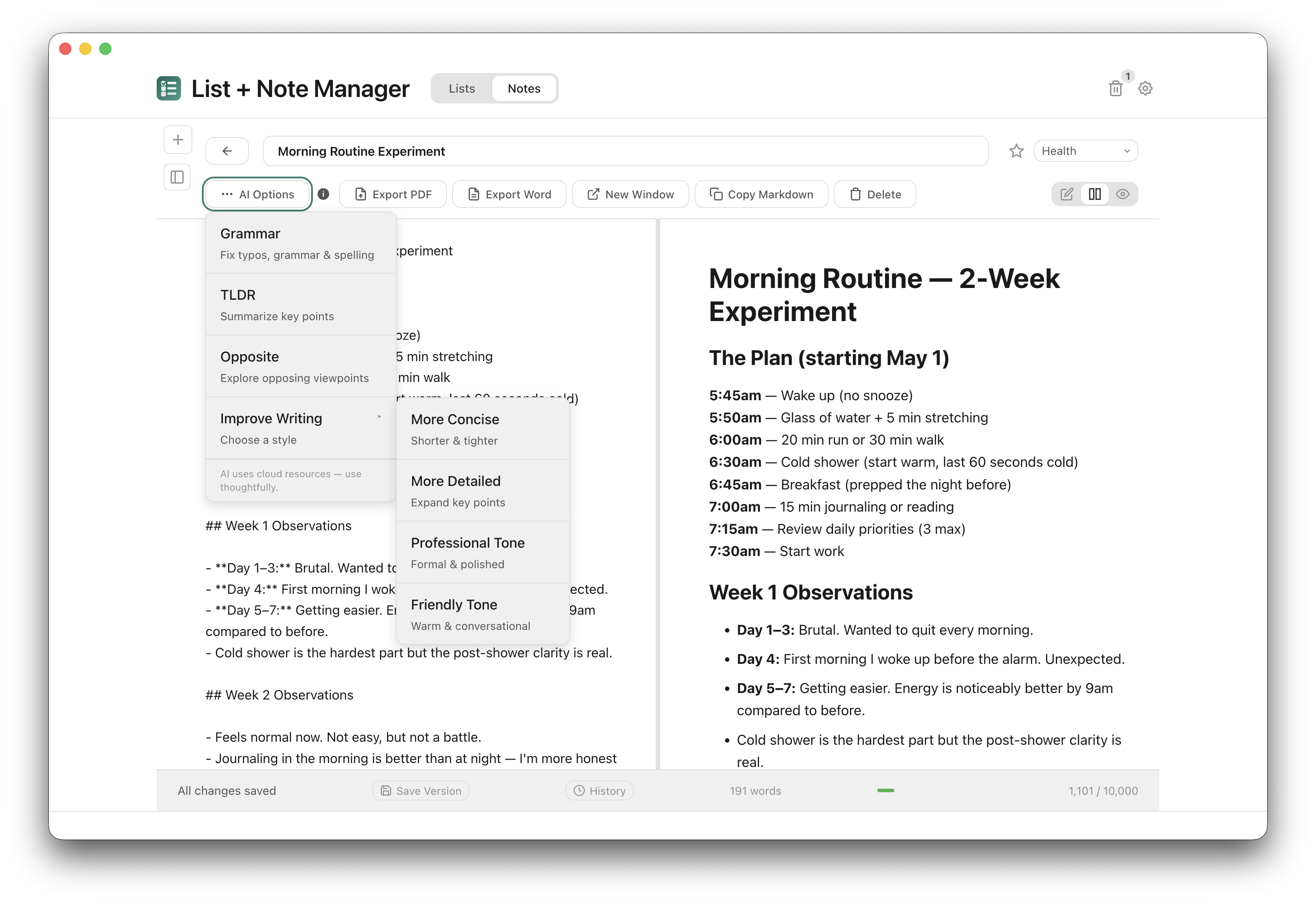
Export any note to PDF or Word, with optional AI help if you want it.
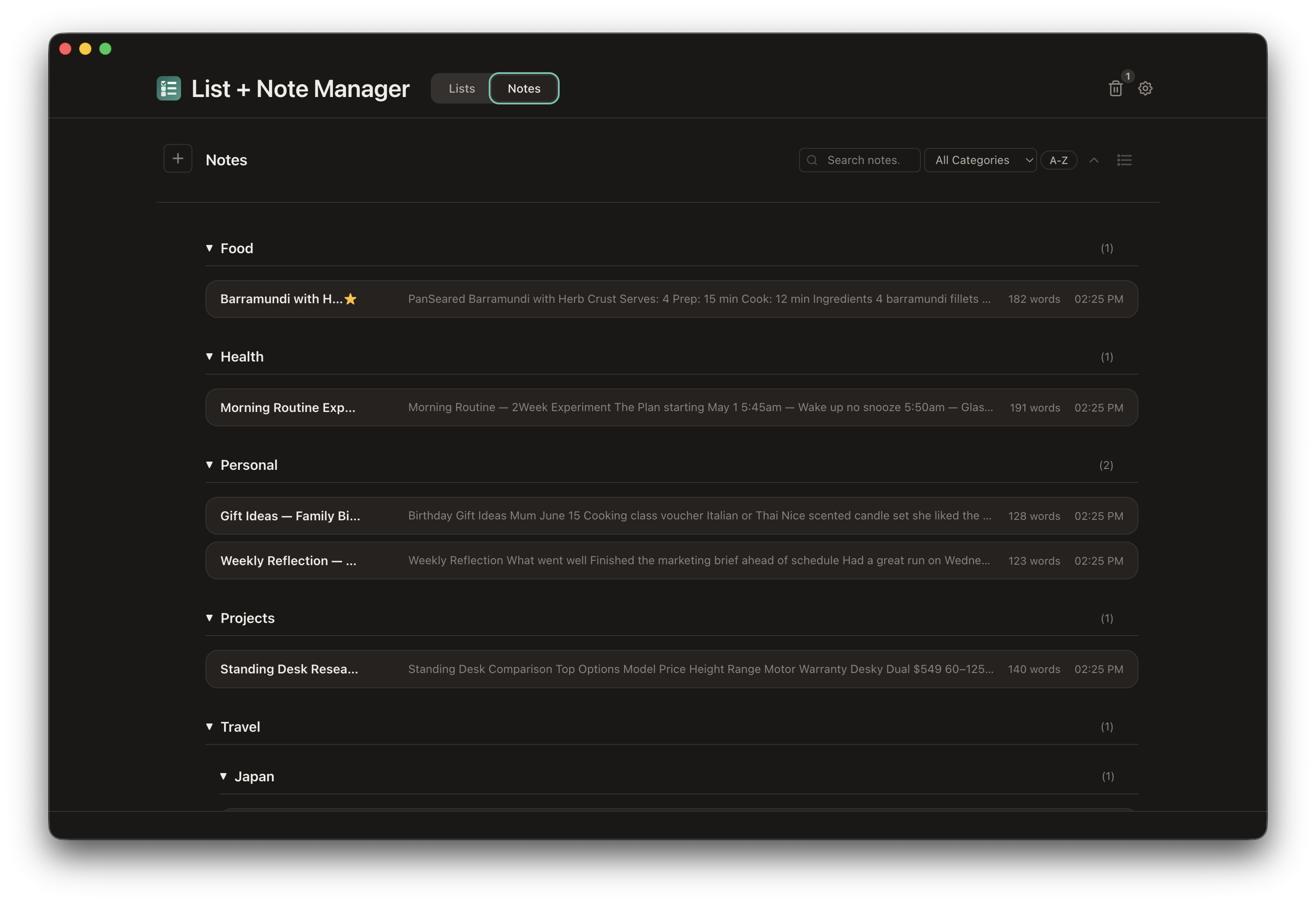
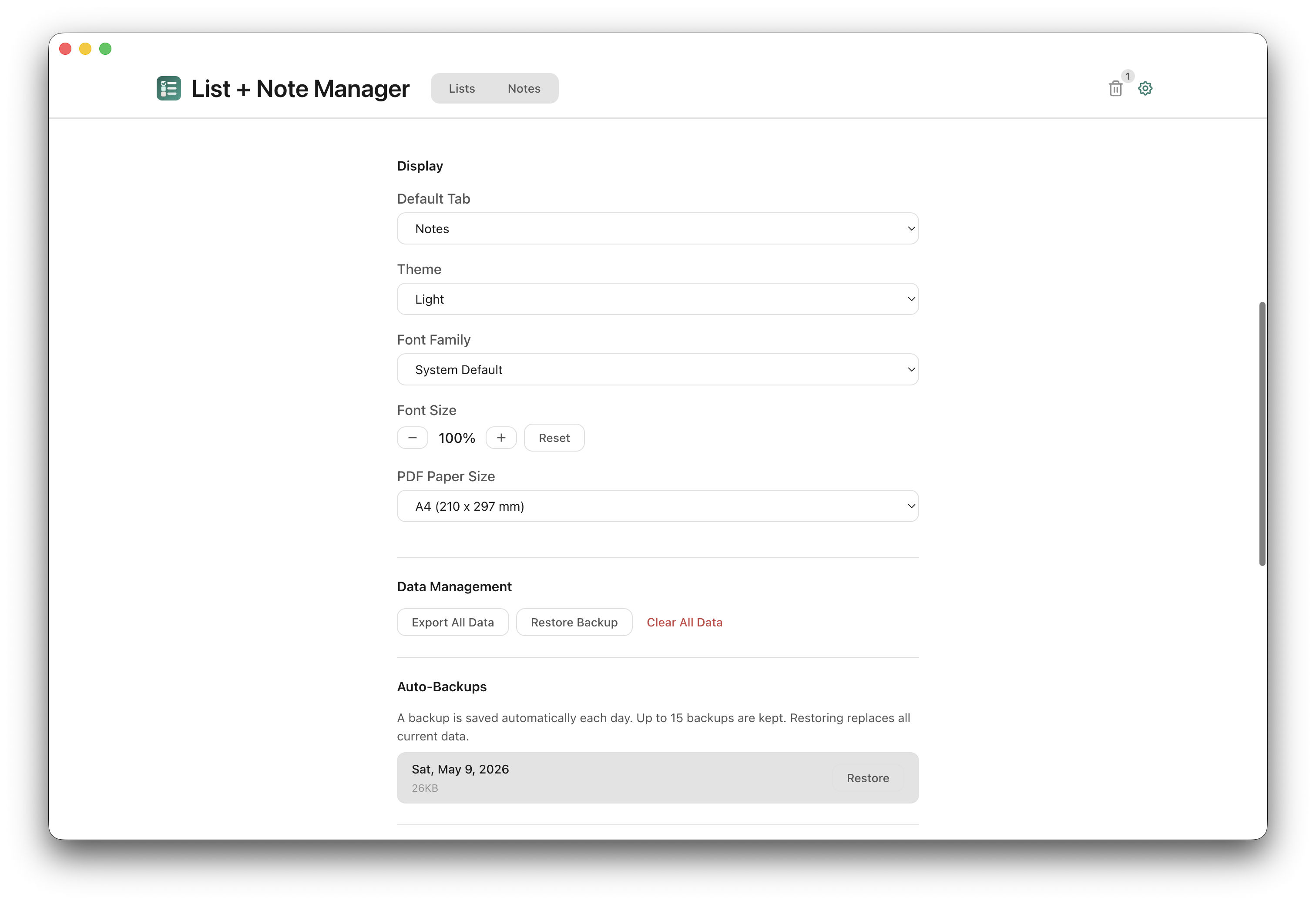
Real screens from the app. Select any screenshot to enlarge it.
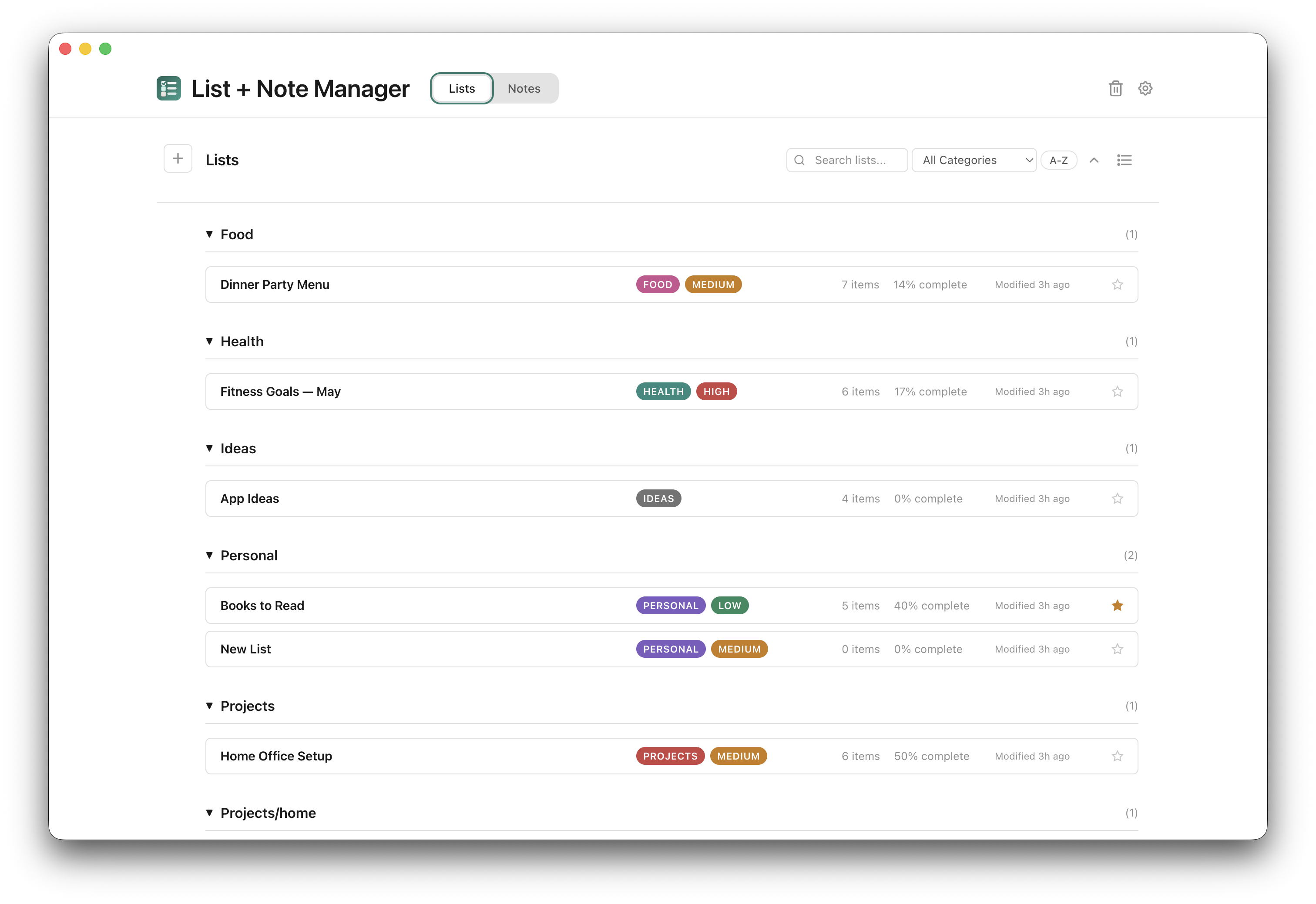
Your lists sit in one view, organised by category with priority levels and completion tracking.
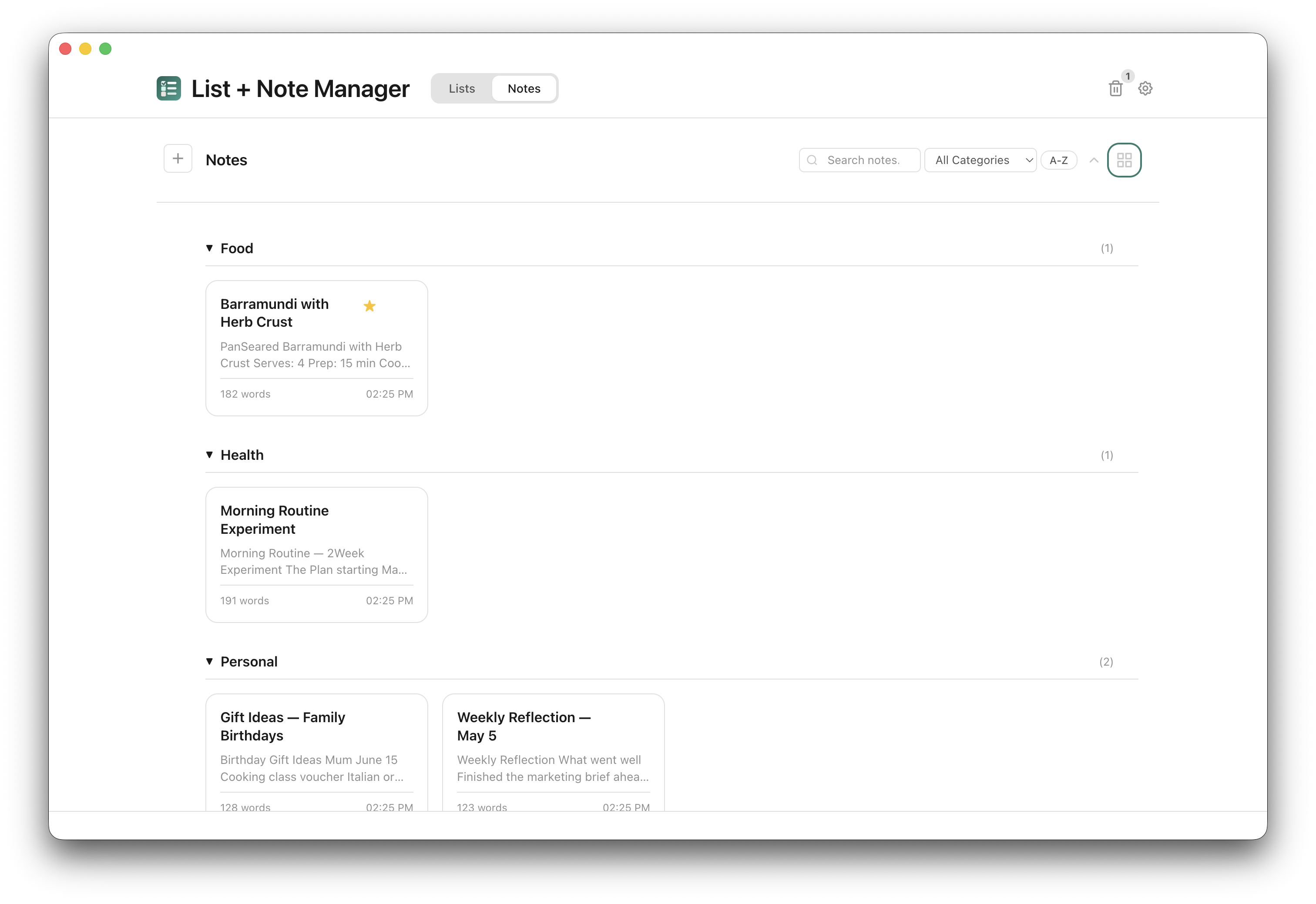
Notes sit in cards by category, with word counts and previews.
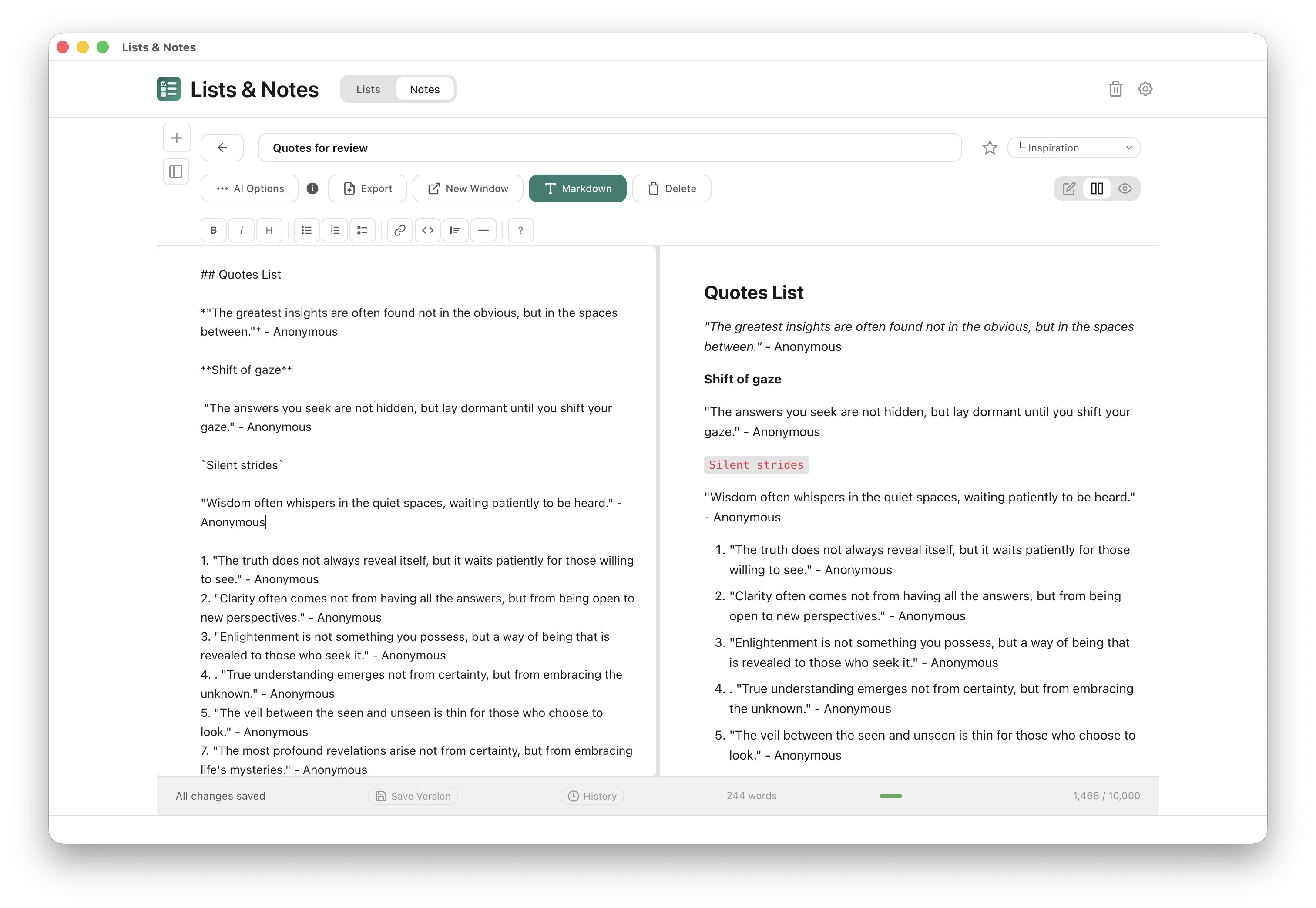
Write with a formatting toolbar and a live preview beside you.
14-day money-back guarantee · Future updates included
The complete feature list, who the app suits, setup steps and answers to common questions. Open any heading for the full answer.
First time installing one of these apps? The Installing an app guide walks through downloading it from your Gumroad Library and installing it on your Mac.
Yes. Once downloaded and installed, you can create, edit, search, save and export lists and notes without an internet connection, including PDF and Word export. Your work is stored on your Mac. Optional AI tools, update checks and downloads, and external websites need internet.
No. Open the installed app and start writing. You do not need a Lists & Notes account or an online sign-in to access your notes. Optional AI tools require your own API key from a supported provider.
No. Lists & Notes works fully without AI. You can create lists, write notes, organise with categories, export to PDF — all without an API key. AI adds optional features: list item suggestions, grammar checking, writing improvement, and note summaries.
No. All data is stored locally on your Mac — lists, notes, settings, and backups. API keys are encrypted at rest on your machine. Note content is only sent to your chosen AI provider when you explicitly trigger an AI feature on that specific note.
Notes are stored as individual Markdown (.md) files on your Mac. The app manages the files for you. You can export your full dataset as JSON at any time for backup or migration.
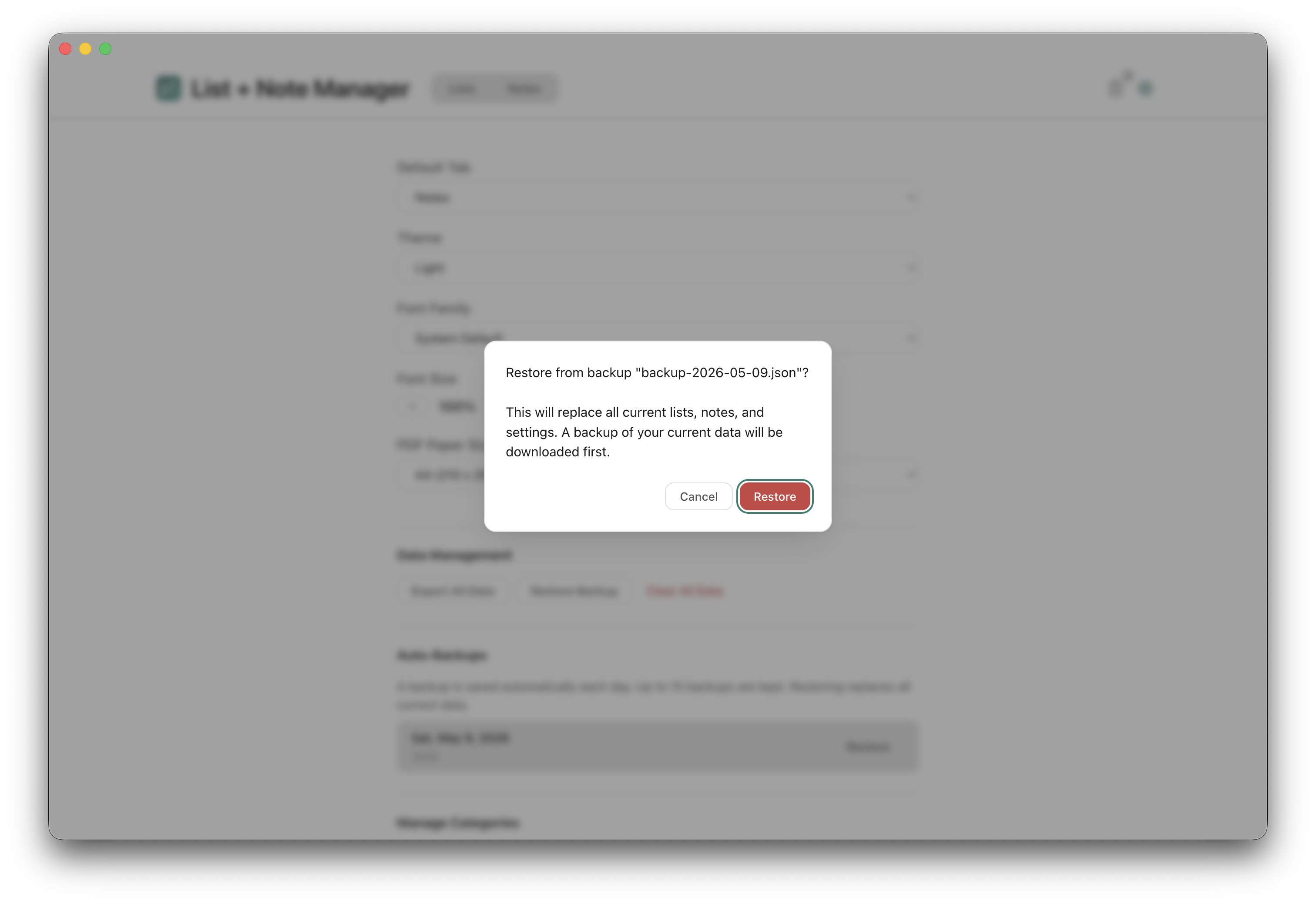
Yes. The app automatically creates daily backups (up to 15 are kept). You can view and restore from any backup in Settings. You can also manually export all data as a JSON file and import it on another machine. Import is non-destructive — existing items are skipped, only new ones are added.
Yes. Export any note to PDF (with page formatting, font choice, and optional metadata) or Word (DOCX). You can also export your entire dataset as JSON for backup or migration.
Lists & Notes is a one-time purchase that runs entirely offline on your Mac. There's no account, no cloud sync, no subscription, and no tracking. Each note is saved as its own Markdown file in the app's data folder, and you can export to PDF or Word whenever you need a note somewhere else. If you want a private, offline alternative to cloud-based note taking apps, this is built for that.
Yes. Lists & Notes is code-signed with an Apple Developer ID and notarized by Apple, for both Intel and Apple Silicon Macs. That means macOS verifies it opens cleanly without security warnings, and Apple has checked the build for malicious code.
Currently macOS only (12 or later). A Windows version may follow based on demand.
Yes. Individual app purchases include a 14-day money-back guarantee. Install it, try it, and if it does not suit your needs, email david@tiongcreative.com.au with your order details within 14 days of purchase.
If your purchase is fully refunded and the licence ends, you must stop using the app and delete copies and installers held under that licence. Your own documents and exported work remain yours to keep.
Yes. When you buy the app on its own there is no subscription, and future updates to it are included.
No. Lists & Notes is a one-time purchase. If you choose to use the AI features, you'll need your own API key from Anthropic or OpenAI, which you pay for at your provider's usage rates. Or get every app through the Tiong Creative membership with updates while your membership is active.
Prices are in USD and payment is processed securely by Gumroad. Gumroad may show the price converted to your local currency as a guide, but your card is charged in USD, so your bank may add a small foreign transaction fee.
If you buy the app, every future update to it is included at no extra cost. Members get updates while their membership is active. You can see the full list of changes on the changelog page. To download the latest version, visit your Gumroad Library or use the download link in your original purchase receipt. Open the downloaded DMG and drag the app to your Applications folder. When macOS asks if you want to Replace the existing copy, click Replace — your data and settings are kept automatically.
Step-by-step guides, from writing notes to checklists, exporting and backups, are in the help pages. Release notes are on the changelog page. For anything else, email david@tiongcreative.com.au.
$15 USD one-time purchase · 14-day money-back guarantee · Future updates included
I have worked across product management, agency ownership, SaaS support and product enablement, and I am the person behind davidtiong.com. I built Lists & Notes because I wanted a simple, private place for my notes and to-do lists that didn't require an account or a monthly fee. Nothing more, nothing less.
