
Know each person
Profiles hold interests, sizes and past gifts, grouped by year.
A privacy-first, offline gift planner for Mac. Remember birthdays, collect ideas and plan budgets, with your plans saved on your computer and no account required.
$15 USD · One-time purchase · Future updates included
14-day money-back guarantee · macOS 12 or later, Intel and Apple Silicon · Checkout opens on Gumroad
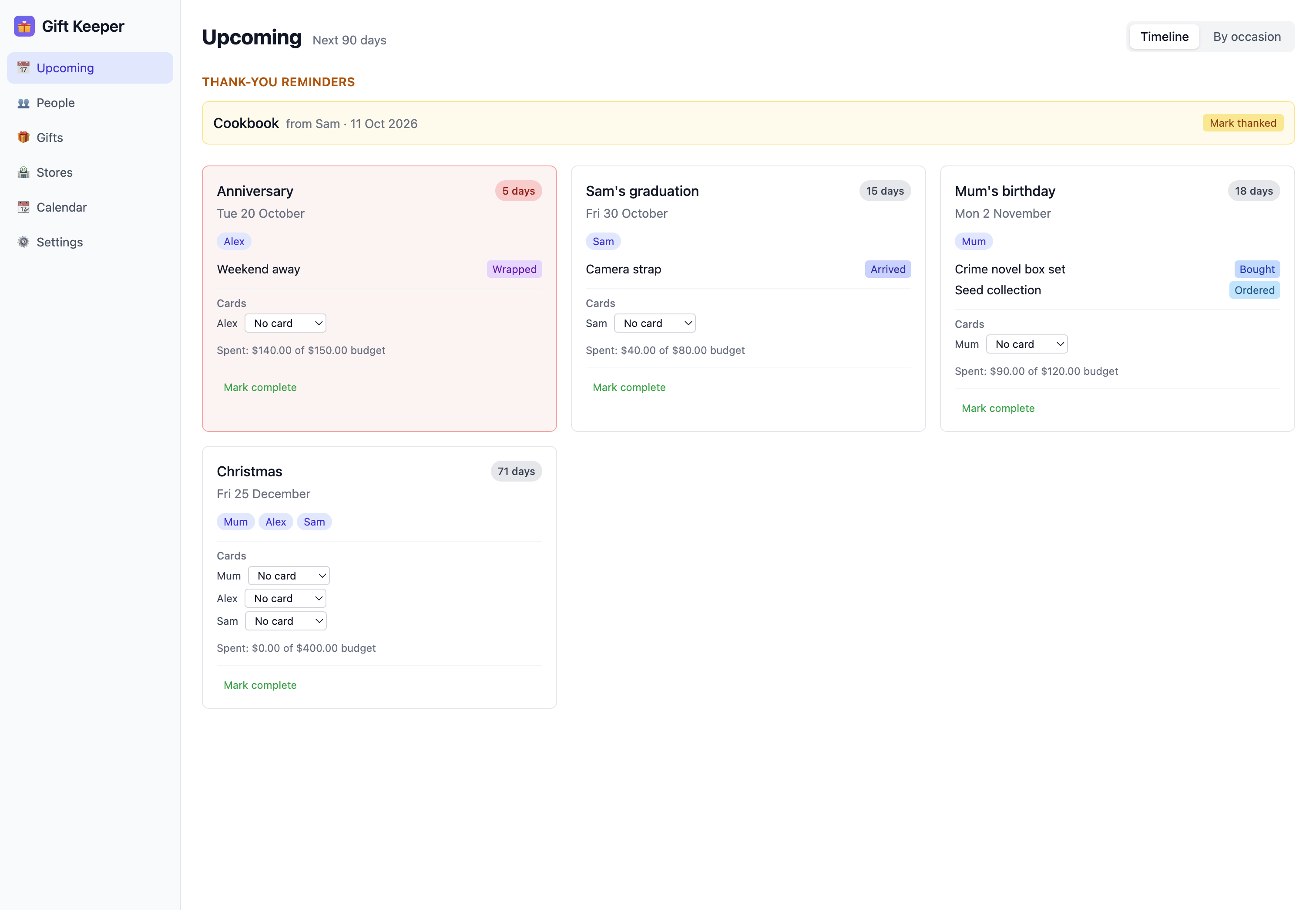
Remember what people like, what you gave last time, and every promising idea before the next occasion arrives.
Profiles hold interests, sizes and past gifts, grouped by year.
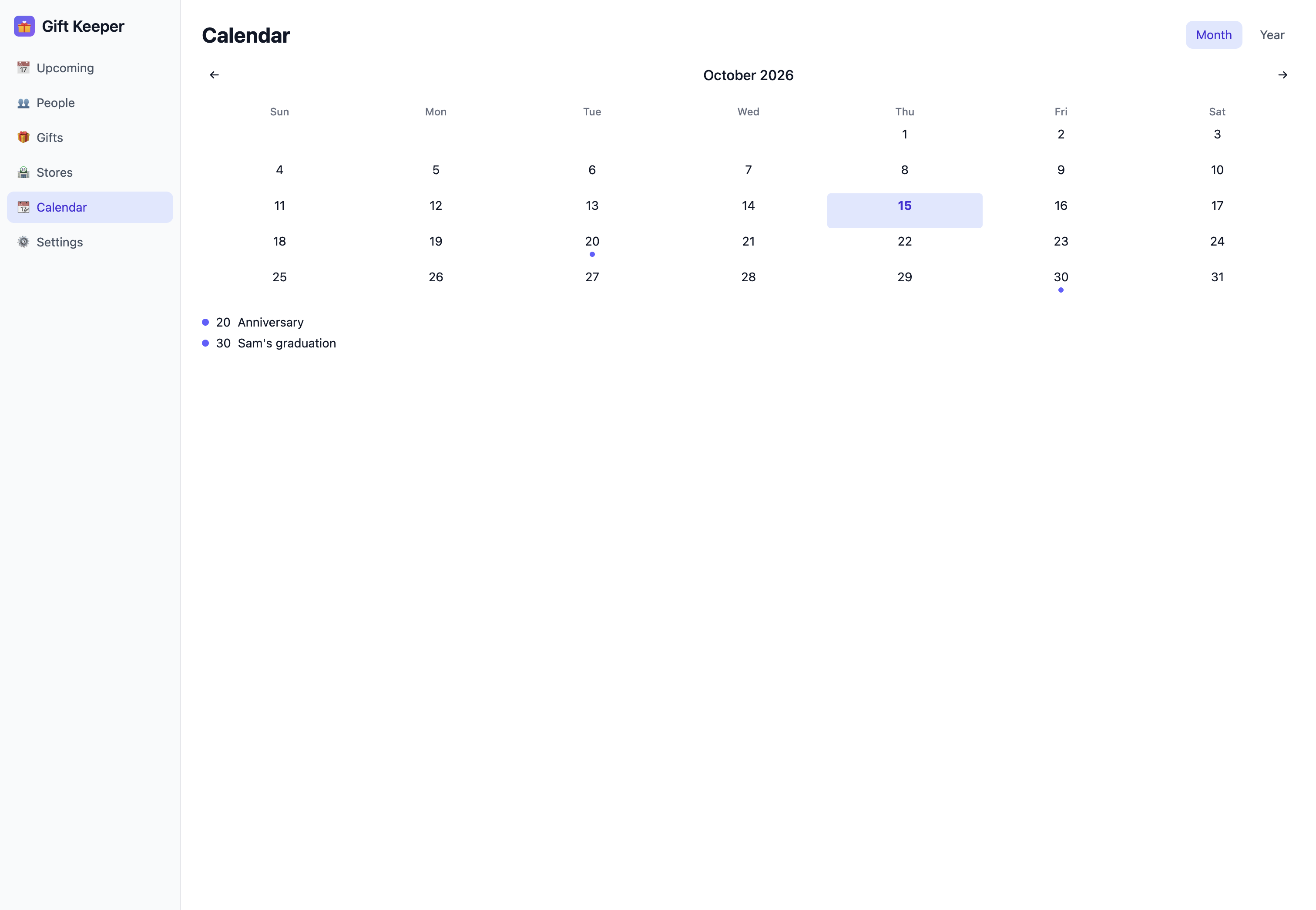
Occasions, budgets and an Upcoming list keep every date in view.
Follow ideas through to given, and log gifts received and thank-yous.
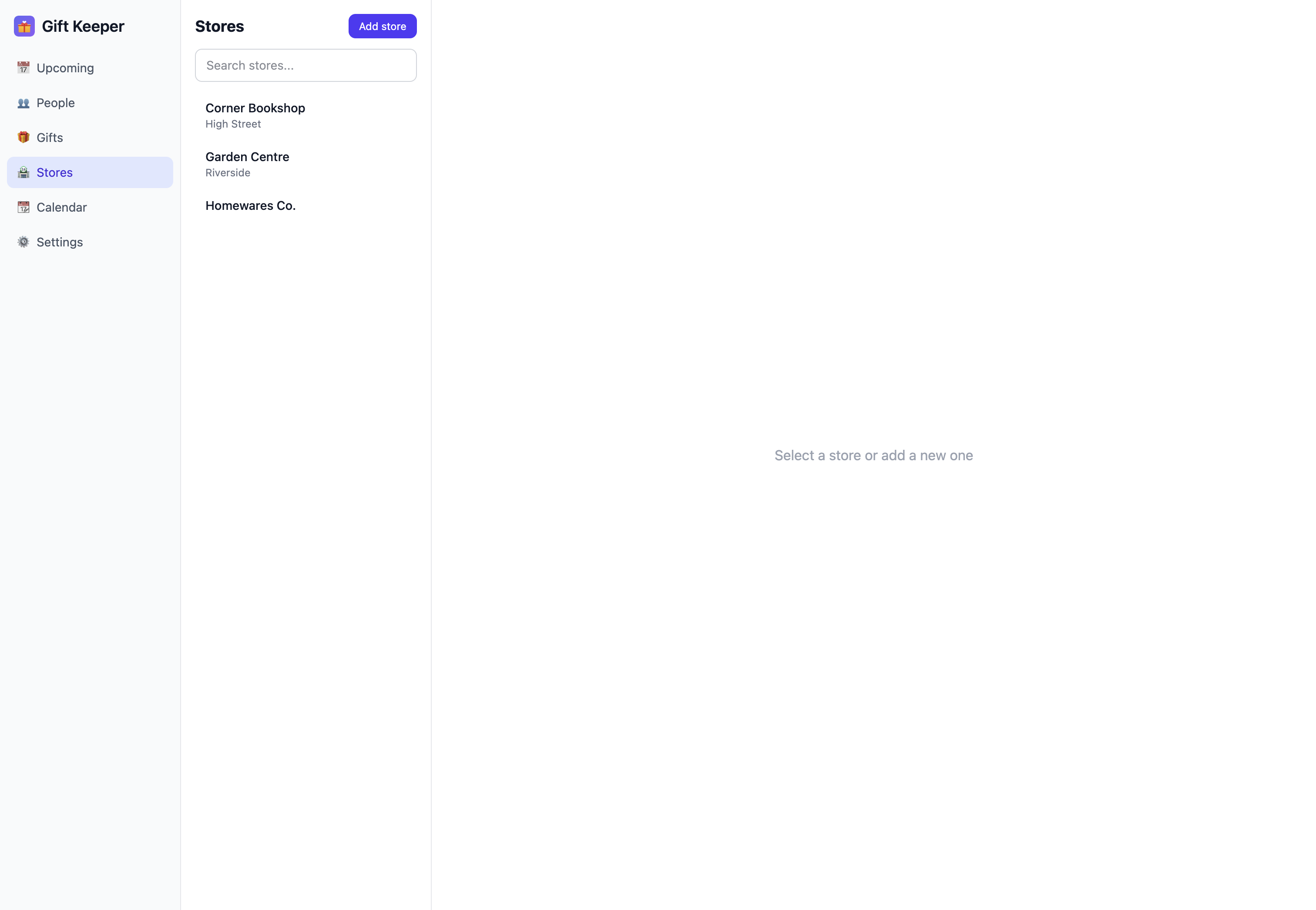
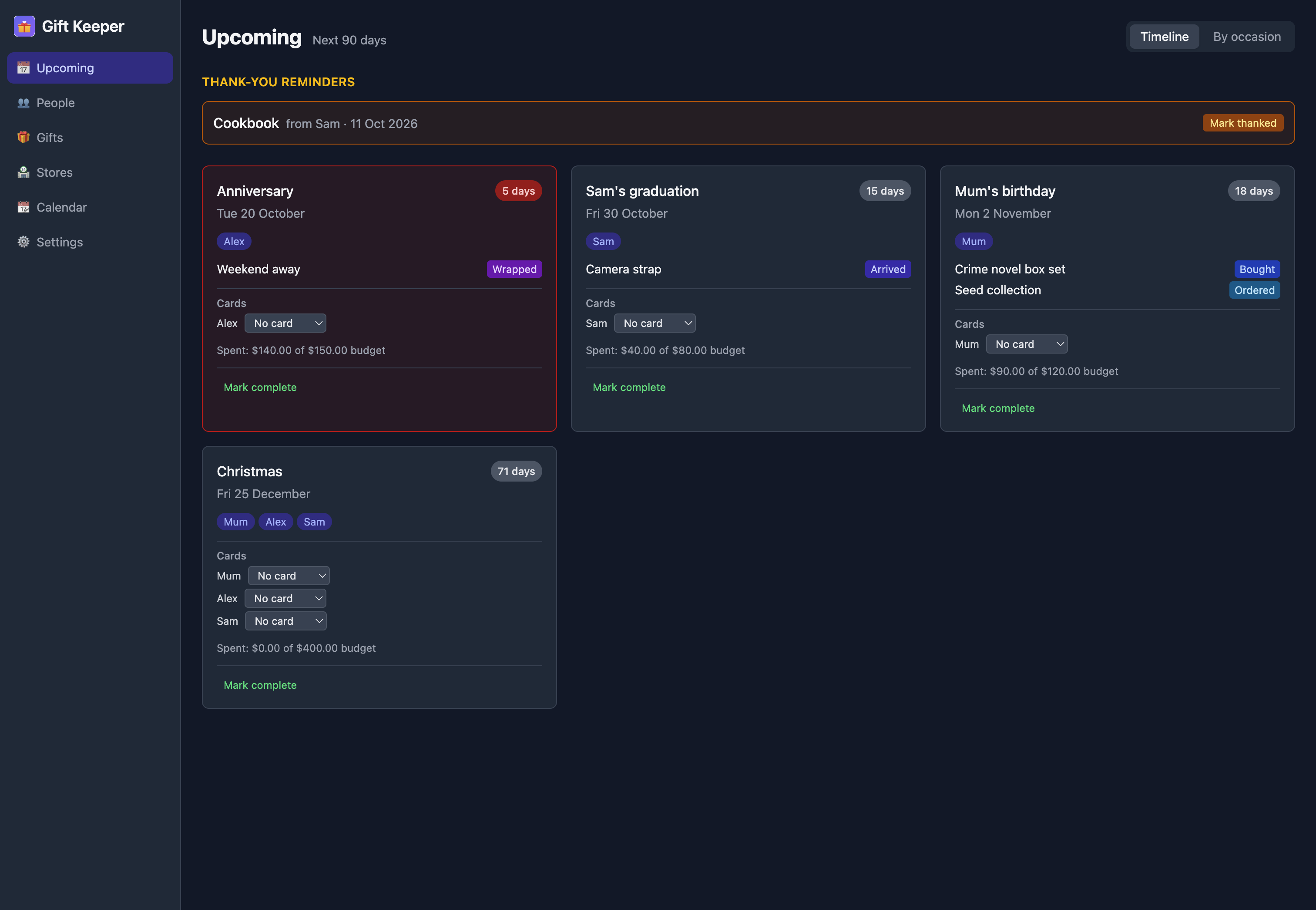
Real screens from the app. Select any screenshot to enlarge it.
The Upcoming dashboard shows occasions, gift progress, budgets, and thank-you reminders in one place.
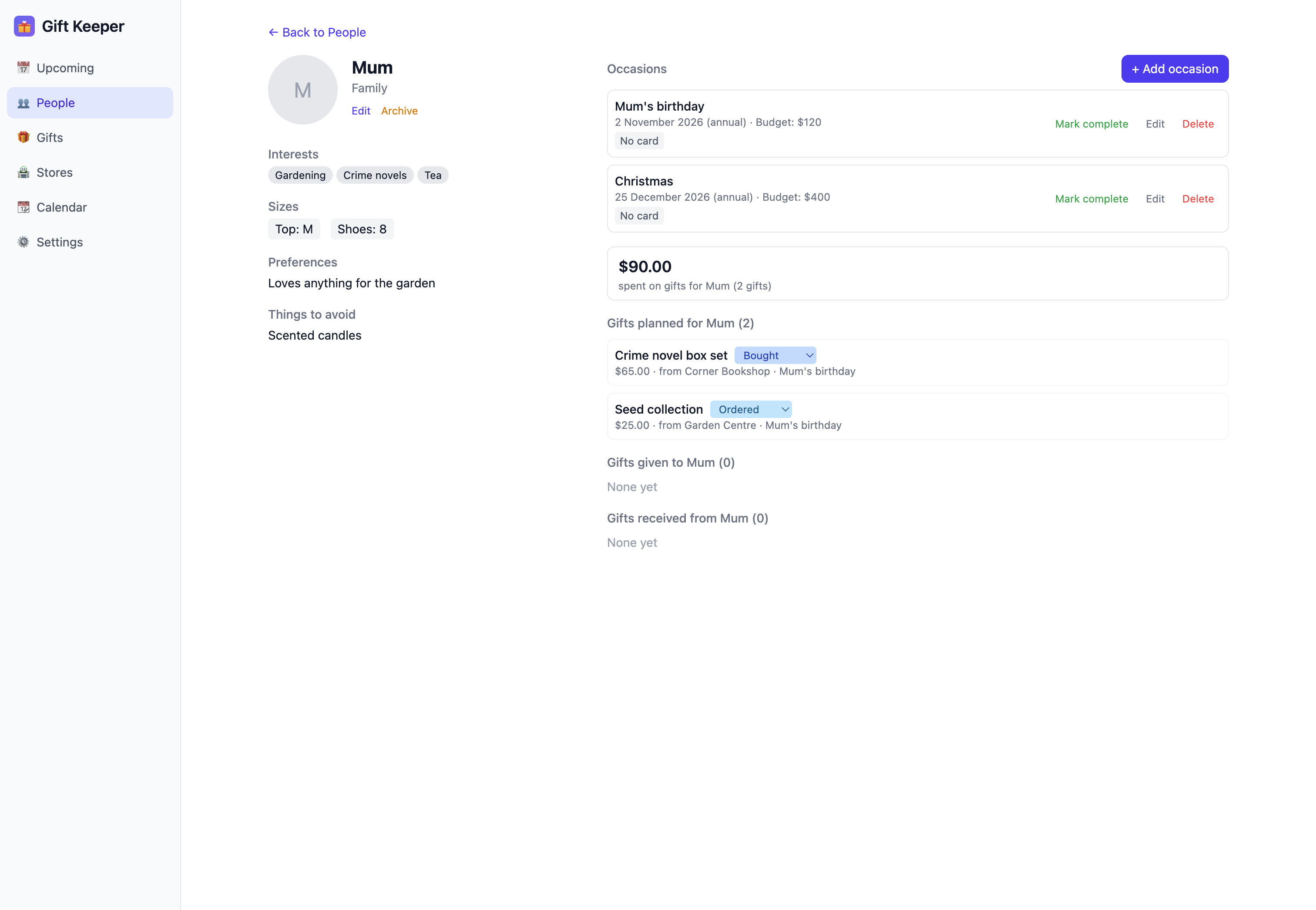
Each person's page shows their occasions, active gifts, and giving history by year.
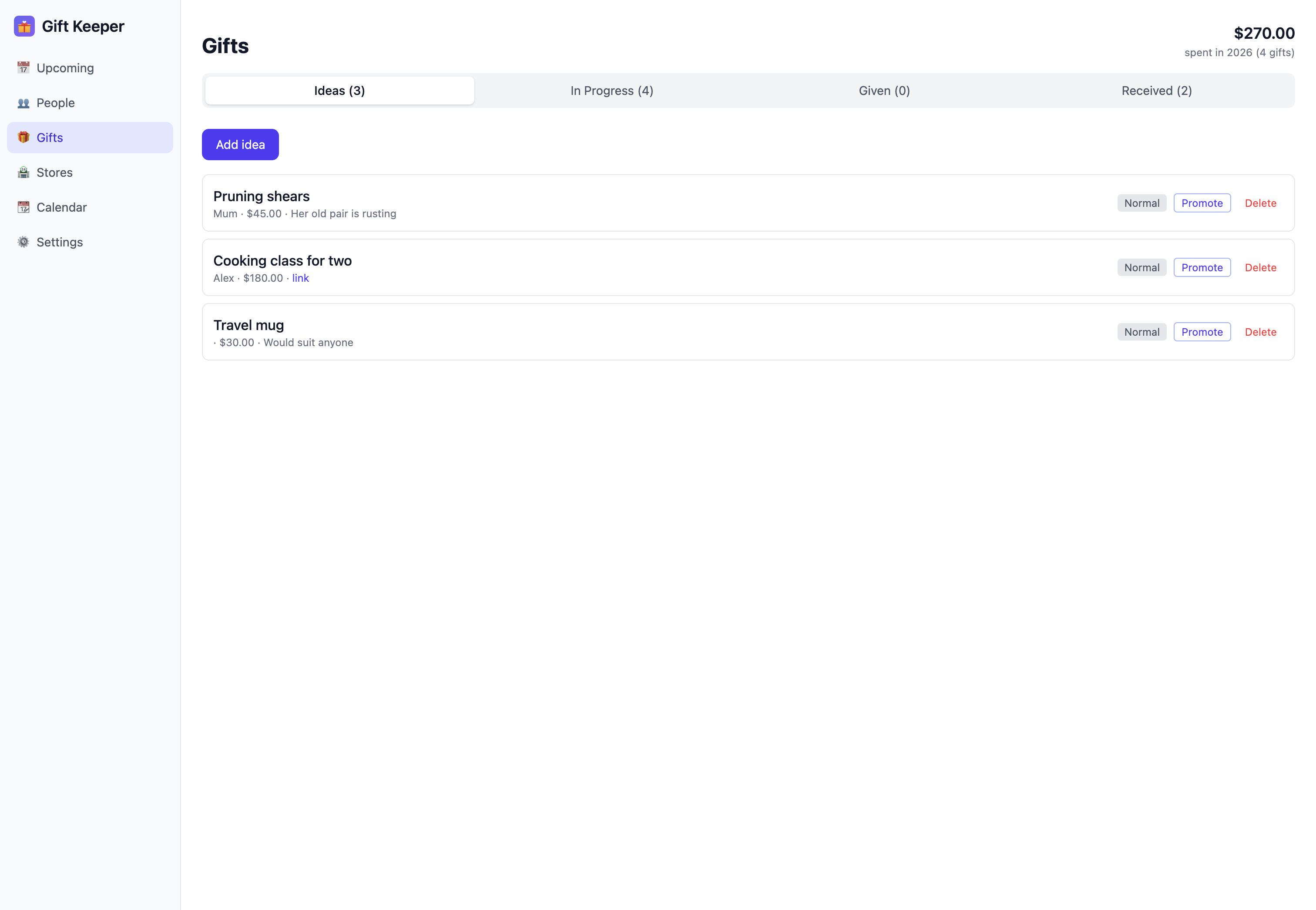
Follow every gift by status, with price, store, and occasion recorded.
14-day money-back guarantee · Future updates included
The complete feature list, who the app suits, setup steps and answers to common questions. Open any heading for the full answer.
First time installing one of these apps? The Installing an app guide walks through downloading it from your Gumroad Library and installing it on your Mac.
Yes. Once downloaded and installed, you can manage people, occasions, gift ideas, budgets, gift history and your calendar without an internet connection. Your records, saved photos and local backups stay on your Mac. Update checks and downloads, visiting saved shop links and shopping on external websites need internet.
No. Open the installed app and start planning gifts. You do not need a Gift Keeper account or an online sign-in to access your saved records.
No. People, occasions, gifts, ideas, and settings are all stored locally on your Mac. The app does not upload your gift records to a cloud service.
Yes. You can export a full backup as a JSON file from Settings and restore from it at any time. Your data is also stored as plain JSON files on your Mac, so you can include the data folder in your own backup routine.
Yes. Gift Keeper is code-signed with an Apple Developer ID and notarised by Apple, for both Intel and Apple Silicon Macs. macOS verifies it opens without security warnings.
Currently macOS only (12 or later). A Windows version may follow based on demand.
Yes. Individual app purchases include a 14-day money-back guarantee. Install it, try it, and if it does not suit your needs, email david@tiongcreative.com.au with your order details within 14 days of purchase.
If your purchase is fully refunded and the licence ends, you must stop using the app and delete copies and installers held under that licence. Your own documents and exported work remain yours to keep.
Yes. When you buy the app on its own there is no subscription, and future updates to it are included.
No. Gift Keeper is a one-time purchase. There is no monthly fee, no account, and no cloud. Or get every app through the Tiong Creative membership with updates while your membership is active.
Prices are in USD and payment is processed securely by Gumroad. Gumroad may show the price converted to your local currency as a guide, but your card is charged in USD, so your bank may add a small foreign transaction fee.
If you buy the app, every future update to it is included at no extra cost. Members get updates while their membership is active. See the full list of changes on the changelog page. To update, download the latest version from your Gumroad Library, open the DMG, and drag the app to Applications. Choose Replace when macOS asks. Your data and settings are kept automatically.
Step-by-step guides, from people and occasions to gift ideas and backups, are in the Gift Keeper help pages. Release notes are on the changelog page. For anything else, email david@tiongcreative.com.au.
$15 USD one-time purchase · 14-day money-back guarantee · Future updates included
I have worked across product management, agency ownership, SaaS support and product enablement, and I am the person behind davidtiong.com. I built Gift Keeper because I lose track of who gave what for presents, and I wanted somewhere to record what I get so I can be thoughtful about it. I also like to avoid giving the same gift twice, so having a history of what I gave someone helps. And when I am stuck for ideas, having their interests and past gifts in front of me makes it easier to think of something. It runs on your Mac, nothing leaves the machine, and you can export everything if you ever want to move on.
